

Linux & Bash Automation Toolkit
A Linux administration lab plus an automation toolkit — backup, log-parsing and health-check scripts, on GitHub.
- Linux
- Bash
- Git
A complete 9-month cloud computing diploma: start from Linux basics and finish with architecture reviews, production Kubernetes on EKS, SRE practices and a full MLOps capstone — everything you need for a cloud or DevOps career.
The 9-month cloud computing diploma at techcadd covers everything from Linux basics to advanced architecture and MLOps. You progress month by month through networking, AWS core services, DevOps, CI/CD, Docker, Kubernetes, Terraform, security, AI services, SRE and a final expert capstone — with hands-on labs in every session.
Key Highlights
The 9-month cloud computing diploma at techcadd covers everything from Linux basics to advanced architecture and MLOps. You progress month by month through networking, AWS core services, DevOps, CI/CD, Docker, Kubernetes, Terraform, security, AI services, SRE and a final expert capstone — with hands-on labs in every session. The first three months build your foundation (Linux, networking, AWS core). The next three months deepen your skills (serverless, containers, CI/CD, monitoring). The final three months take you to production-level work — architecture reviews, EKS operations, GitOps, SRE with cost optimisation and MLOps. Nothing is skipped and nothing is repeated.
Every module ends in something you have built and a trainer has reviewed, so the list below is work you will have done rather than topics you will have heard about.
Linux through architecture reviews, EKS, SRE and MLOps
right-sizing, spot strategy and FinOps reporting with measured savings
The syllabus is arranged so every module produces an asset rather than a set of notes. You will cover month 1 — linux, basic scripting, networking & git, month 2 — cloud basics & core aws: iam, vpc and ec2, month 3 — storage, databases, auto scaling & monitoring, month 4 — serverless aws, ai services & cloud security, and finish with a live project built on Linux, Bash & SSH, Git, GitHub & Wireshark, AWS Console, CLI & IAM. Modules run in the order a real project runs: foundations first, then the core skills, then applied work under supervision, then the portfolio and interview preparation that turn all of it into an offer letter.
The working knowledge the job description actually lists.
Month 3 — Storage, Databases, Auto Scaling & Monitoring
What keeps an application up when real traffic arrives.
4 weeks · 24 sessions
Month 4 — Serverless AWS, AI Services & Cloud Security
Running code without managing a server, and hardening everything built so far.
4 weeks · 24 sessions
Month 5 — Docker Containers & Kubernetes
Packaging an application so it runs anywhere, then orchestrating it.
4 weeks · 24 sessions
Topics covered
The toolchain
Everything below is installed on the lab machines and used on live client work, not shown once in a slide and forgotten.
Join from any stream with no assumed technical knowledge. Nine months alongside a degree is the longest and most complete route, and it finishes with the portfolio that makes campus placement straightforward.
If you are finishing a BCA, B.Sc or B.Tech, this is the difference between applying for a trainee role and applying for a Cloud Automation or AWS DevOps Engineer role.
The weekend batch exists for people already earning. Nine months is the span in which a career switch reaches senior-adjacent roles rather than the bottom rung.
If you already run infrastructure, the advanced months alone are worth the enrolment — architecture review, EKS operations, GitOps, SRE and FinOps are the skills that move you from doing the work to owning it.
The right cloud architecture depends on workload, scalability, availability, security, performance and cost — and the people who can weigh those against each other, rather than name services, are what a senior cloud role actually is. That gap is the whole argument for this course: there is local demand, there are budgets, and there are very few trained people to hand the work to.
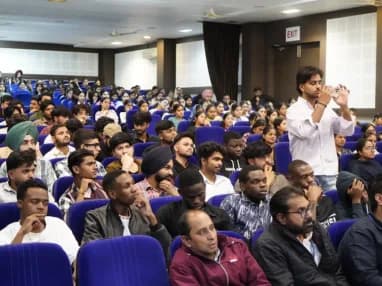
Build skills that hold up beyond the classroom.
What separates this from a playlist of tutorials is supervision on real work. From the second half of the course you build on live client projects with a trainer beside you, make decisions that have consequences, and correct them the following week. That loop is the skill. No employer in Phagwara will take your word for it without work they can inspect.
Be realistic about the money. A fresher who finishes with a working portfolio starts near the bottom of the band and moves quickly; someone who finishes with a certificate and nothing to show does not. The difference is entirely what you built.
The alternative is what most people try first: free videos, a cheap online course, six months of drifting, and knowledge you cannot demonstrate. A structured programme with live projects, a mentor who corrects you, an internship letter and a placement cell that actually calls employers is the difference between knowing the subject and being hired to do it.
Students reach the Phagwara centre from Banga, Nakodar, Kartarpur and the university belt, and the weekend batch exists so a job or a degree does not have to be paused to attend.
The advanced months introduce almost no new product names. They revisit architecture, security, AI services, Kubernetes, Terraform, observability and MLOps at the standard a working team holds them to.
You apply the Well-Architected Framework as a review rather than a poster: failure-mode and effects analysis, chaos experiments, game-day exercises and written architecture decision records.
Multi-account strategy, service control policies, permission boundaries, CloudTrail timeline reconstruction, restore drills and compliance evidence — hardening to the standard an auditor expects to see.
SLIs, SLOs, error budgets, on-call rotation, blameless postmortems, right-sizing and FinOps reporting — ending with measured savings, not an intention to save.
Complete the course with a portfolio of live projects and receive an industry-recognised certificate, plus a documented internship letter accepted by Punjab universities.
Recognised by employers across Punjab and beyond
Based on real client work, not a simulation
Live work you can show in any interview
CV review, mock interviews and hiring drives
Two certificates on completion — the course certificate and a separate capstone project certificate.
The roles this opens, what they pay in Punjab and beyond, and who is hiring for them — drawn from published job-market listings, not a brochure number.
Advanced, six to nine months of preparation. You combine infrastructure automation, monitoring, security and operational workflow into one repeatable delivery system. Show the Terraform estate, the CI/CD pipeline, the observability stack and the security report.
The expert-track destination at nine months. You can review architectures, harden AWS estates, run production Kubernetes, control cost and lead a full MLOps capstone.
Ownership rather than execution — you decide the pattern, write the decision record and are the person the team asks during an incident. The architecture, Kubernetes and SRE months are precisely this job description.
Architecting from stated requirements against availability, latency, durability, security and cost targets. The reference architecture pack and failure-mode analysis are the portfolio for it.
Salary outlook — Cloud / DevOps Engineer (Diploma)
Reviews architectures, hardens estates, runs production Kubernetes and controls cost. The highest starting band in the After 12th section, reflecting nine months of depth.
Indicative ranges compiled from public job-market listings. Actual offers vary by employer, skillset and interview performance.
A Linux administration lab plus an automation toolkit — backup, log-parsing and health-check scripts, on GitHub.
A secure AWS network of your own with a live website running on EC2 inside it, IAM scoped to least privilege.
EC2, S3, RDS, a load balancer and Auto Scaling with CloudWatch dashboards and an architecture diagram.
An observable environment with SLO dashboards, log aggregation, alert routing and a written postmortem.
A hardened AWS estate with least-privilege policies, an audit trail and a tested cross-region recovery runbook — plus a game-day exercise report.
A containerised AI service released through CI/CD with a model registry and drift monitoring — then the expert capstone integrating infrastructure, application, AI, security, automation and observability, with a cost-optimisation report showing measured savings.
Every project moves through the same loop: understand the brief, build with guidance, then explain the decisions behind your work.
Take a real requirement apart before touching a tool — what is being asked, what it needs, and which part to build first.
Linux & Bash Automation Toolkit
Work hands-on with your trainer watching the screen, so a wrong turn is caught in the same session rather than three weeks later.
Secure AWS Network & Live Site
Walk through what you built and why you built it that way. This is the interview rehearsal, run against every project rather than once at the end.
Scalable Multi-Tier Application
There are many places to learn this in Phagwara and the brochure syllabus looks similar at all of them. What differs is who teaches, whether you ever touch real work, and whether anyone picks up the phone after you have paid. techcadd has trained students across Punjab since 2007 on the same model: small batches, working practitioners as trainers, client projects as coursework.
You advance when a deliverable passes review. Over nine months that matters more, not less — nobody reaches the expert capstone without earlier work actually passing.
From the early months every session runs in a real AWS account with real billing alarms. By the final months you are optimising that account’s cost as a graded exercise.
The people teaching EKS operations and GitOps delivery are the people running them for client work, which is why the troubleshooting sections name CrashLoopBackOff and OOMKills rather than generic failures.
Nine months, one sequence and no restarts. This is the full programme from Linux basics to expert capstone — not a track that assumes you will come back for the rest.
Find answers to the questions students ask before enrolling.
Nine months (36 weeks) of training. Weekday, evening and weekend batches cover the same syllabus, and 1-on-1 training is available if you would rather set your own pace. Every class runs for 2 hours, whichever format you choose.

Send your question and a counsellor will call you back about batch timings, fees, EMI options, placement record, or whether this course fits your degree.
One call with a counsellor is usually enough to find out. Book a free demo class and see the lab before you decide.