

Linux & Bash Automation Toolkit
Month one’s deliverable: a Linux administration lab plus the automation scripts that provision, back up and check it, version-controlled in GitHub.
- Linux
- Bash
- cron
- Git
A six-month certificate covering Linux, AWS and DevOps end to end — from your first terminal command to a fully automated pipeline deploying to Kubernetes, with six portfolio projects and placement support.
Six months, structured so the course moves from foundational concepts to real AWS deployments without ever assuming a step you have not taken. It is open to anyone who has passed 12th, from any stream, and no prior experience is required.
Key Highlights
Six months, structured so the course moves from foundational concepts to real AWS deployments without ever assuming a step you have not taken. It is open to anyone who has passed 12th, from any stream, and no prior experience is required. The early months build the system underneath the cloud — Linux, scripting, networking and Git — because every AWS service is easier to understand once you know what it is standing on. From there the course moves onto a real AWS account: identity and access, a network you designed, servers you launched, and a website that is genuinely live. The middle months cover the services that keep an application running under real traffic — storage, managed databases, load balancing, auto scaling, DNS and monitoring — followed by serverless architecture, AWS AI services and cloud security. The final third is the modern deployment stack: Docker containers, Kubernetes orchestration and Helm, then CI/CD with Jenkins and GitHub Actions, infrastructure as code with Terraform, and monitoring with Prometheus and Grafana. It ends with a complete automated pipeline — a commit that travels through quality gates into a Kubernetes cluster on Terraform-defined infrastructure. Every month ends in something running, and the six pieces together are the portfolio you take to interviews. A certificate and placement support are included.
Every module ends in something you have built and a trainer has reviewed, so the list below is work you will have done rather than topics you will have heard about.
the syllabus moves in sequence, and nothing is assumed
a full automated pipeline on Terraform-defined infrastructure
The syllabus is arranged so every module produces an asset rather than a set of notes. You will cover month 1 — linux, basic scripting, networking & git, month 2 — cloud basics & core aws: iam, vpc and ec2, month 3 — storage, databases, auto scaling & monitoring, month 4 — serverless aws, ai services & cloud security, and finish with a live project built on Linux, Bash & SSH, cron. Modules run in the order a real project runs: foundations first, then the core skills, then applied work under supervision, then the portfolio and interview preparation that turn all of it into an offer letter.
The working knowledge the job description actually lists.
Month 3 — Storage, Databases, Auto Scaling & Monitoring
What keeps an application up when real traffic arrives.
4 weeks · 24 sessions
Topics covered
The toolchain
Everything below is installed on the lab machines and used on live client work, not shown once in a slide and forgotten.
Any stream. No technical knowledge is assumed, and most students run the programme alongside a degree at a Phagwara college using the weekday or weekend batch.
BCA, B.Sc, BBA and B.Tech students use this to enter placement season with real AWS project work rather than a blank CV.
The weekend batch exists for people already earning. Six months is enough to become interview-ready for cloud and junior DevOps roles without leaving your current job.
No prior experience is required and none is assumed. If you can use a laptop and you will practise between classes, the course is built to take you the rest of the way.
Cloud and DevOps roles are among the best-paying entry points in IT, and they do not require an engineering degree — what they require is someone who has actually deployed something and can walk an interviewer through it. That gap is the whole argument for this course: there is local demand, there are budgets, and there are very few trained people to hand the work to.
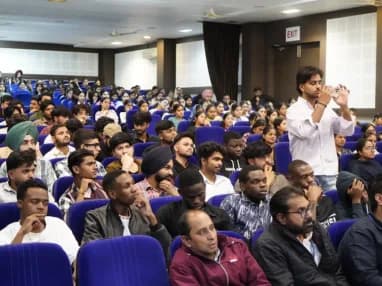
Build skills that hold up beyond the classroom.
What separates this from a playlist of tutorials is supervision on real work. From the second half of the course you build on live client projects with a trainer beside you, make decisions that have consequences, and correct them the following week. That loop is the skill. No employer in Phagwara will take your word for it without work they can inspect.
Be realistic about the money. A fresher who finishes with a working portfolio starts near the bottom of the band and moves quickly; someone who finishes with a certificate and nothing to show does not. The difference is entirely what you built.
The alternative is what most people try first: free videos, a cheap online course, six months of drifting, and knowledge you cannot demonstrate. A structured programme with live projects, a mentor who corrects you, an internship letter and a placement cell that actually calls employers is the difference between knowing the subject and being hired to do it.
Students reach the Phagwara centre from Banga, Nakodar, Kartarpur and the university belt, and the weekend batch exists so a job or a degree does not have to be paused to attend.
Not "beginner-friendly" as a marketing line. The first month assumes nothing, every term is defined the first time it appears, and no one moves on because the calendar says so.
A licensed, supervised, cost-controlled environment rather than a simulator. Everything you deploy is genuinely running, which is the only way the cost and security lessons land.
Docker, Kubernetes, Terraform, Jenkins and Prometheus are named in the job listings we read every month. Nothing in the six months is there for syllabus decoration.
Every month ends in something running. You finish with a portfolio of deployed infrastructure rather than a certificate and a set of notes.
Complete the course with a portfolio of live projects and receive an industry-recognised certificate, plus a documented internship letter accepted by Punjab universities.
Recognised by employers across Punjab and beyond
Based on real client work, not a simulation
Live work you can show in any interview
CV review, mock interviews and hiring drives
Two certificates on completion — the course certificate and a separate capstone project certificate.
The roles this opens, what they pay in Punjab and beyond, and who is hiring for them — drawn from published job-market listings, not a brochure number.
AWS networking, servers, storage and databases — building and running the infrastructure an application lives on. The core destination of this course.
The same work specialised to one platform, which is what most employers in this region are actually hiring for.
Containers, automation and CI/CD — turning deployment from a manual event into something that happens on every commit.
Operational focus: monitoring, ticket resolution, cost checks and first-line troubleshooting. The most widely available first job, and a fast route into engineering.
Salary outlook — Cloud Engineer
Builds, automates and runs the infrastructure applications live on. Consistently one of the highest entry bands available without an engineering degree.
Indicative ranges compiled from public job-market listings. Actual offers vary by employer, skillset and interview performance.
Month one’s deliverable: a Linux administration lab plus the automation scripts that provision, back up and check it, version-controlled in GitHub.
A VPC you designed with public and private subnets, IAM scoped properly, and a website genuinely live on EC2 behind Nginx.
A multi-tier application behind a load balancer with auto scaling, managed storage and databases, and CloudWatch dashboards showing the decisions being made.
An event-driven pipeline of Lambda functions with an AI service in the middle, hardened with KMS, Secrets Manager and GuardDuty.
A multi-service application packaged in Docker, deployed to Kubernetes with Helm, with scanned images and health probes in place.
The capstone: a commit that passes quality gates, builds, and deploys to Kubernetes on Terraform-defined infrastructure, monitored and alerting.
Every project moves through the same loop: understand the brief, build with guidance, then explain the decisions behind your work.
Take a real requirement apart before touching a tool — what is being asked, what it needs, and which part to build first.
Linux & Bash Automation Toolkit
Work hands-on with your trainer watching the screen, so a wrong turn is caught in the same session rather than three weeks later.
Secure AWS Network & Web Server
Walk through what you built and why you built it that way. This is the interview rehearsal, run against every project rather than once at the end.
Scalable Cloud Application
There are many places to learn this in Phagwara and the brochure syllabus looks similar at all of them. What differs is who teaches, whether you ever touch real work, and whether anyone picks up the phone after you have paid. techcadd has trained students across Punjab since 2007 on the same model: small batches, working practitioners as trainers, client projects as coursework.
You advance when your work passes review. A student who needs another week on VPC design gets it; nobody is pushed on because the timetable says so.
Every session runs in a real account with billing alarms and budgets in place, under trainer supervision — so a mistake becomes a lesson rather than a surprise bill.
The people teaching IAM policies and Terraform modules are writing them for clients the same week, which is why the course covers the failures that actually happen.
Weekday, evening and weekend batches all cover the same syllabus, so the course fits around a degree or a job rather than replacing one.
Find answers to the questions students ask before enrolling.
Six months. Weekday, evening and weekend batches cover the same syllabus, and 1-on-1 training is available if you would rather set your own pace. Every class runs for 2 hours, whichever format you choose.

Send your question and a counsellor will call you back about batch timings, fees, EMI options, placement record, or whether this course fits your degree.
One call with a counsellor is usually enough to find out. Book a free demo class and see the lab before you decide.