

Linux & Bash Automation Toolkit
Backup, log-parsing and health-check scripts scheduled with cron and version-controlled in Git.
- Linux
- Bash
- cron
- Git
Three months that take you from your first terminal command to a real AWS deployment you can show in an interview — Linux, Bash, networking and Git from the ground up, then hands-on AWS services. No programming experience needed.
The programme runs over three months and is written for students who have completed 12th from any stream. It begins with the foundations — Linux, Bash scripting and networking — taught from basic principles, with no prior coding or technical background assumed. Once those fundamentals are established, you move on to hands-on practice with AWS services in a real account.
Key Highlights
The programme runs over three months and is written for students who have completed 12th from any stream. It begins with the foundations — Linux, Bash scripting and networking — taught from basic principles, with no prior coding or technical background assumed. Once those fundamentals are established, you move on to hands-on practice with AWS services in a real account. The teaching method is built around deliverables: every topic ends in something tangible — a script, a network configuration, or a deployed application. By the end of the course those pieces come together into a complete AWS deployment with documentation, ready to present in an interview and to put on your CV.
Every module ends in something you have built and a trainer has reviewed, so the list below is work you will have done rather than topics you will have heard about.
Linux, Bash, networking and Git before any AWS service
The syllabus is arranged so every module produces an asset rather than a set of notes. You will cover month 1 — foundations: linux, scripting, networking & git, month 2 — core aws: cloud concepts, iam, vpc, ec2 & security, month 3 — storage, databases, scaling & capstone project, and finish with a live project built on Linux (Ubuntu / Amazon Linux), Bash, SSH. Modules run in the order a real project runs: foundations first, then the core skills, then applied work under supervision, then the portfolio and interview preparation that turn all of it into an offer letter.
The working knowledge the job description actually lists.
Month 2 — Core AWS: Cloud Concepts, IAM, VPC, EC2 & Security
Onto a real AWS account — identity and network first, then your first live server.
4 weeks · 24 sessions
Topics covered
The toolchain
Everything below is installed on the lab machines and used on live client work, not shown once in a slide and forgotten.
Join from any stream — Science, Commerce or Arts — with no technical knowledge assumed. Most students run this alongside a college degree using the weekday or weekend batch.
If you are finishing a BCA, B.Sc, BBA or B.Tech, this accelerates entry into cloud support and trainee roles. You enter placement season with real AWS portfolio work instead of a blank CV.
The weekend batch accommodates people already working. Three months is enough to become interview-ready for entry-level cloud roles without leaving your current job.
Existing support experience converts directly. Linux and networking become familiar ground quickly, and AWS is the step up from hardware and helpdesk work.
Cloud computing turns infrastructure into a service, and someone has to plan the workload, provision the resources, deploy the application and watch what happens next — across Punjab that person is increasingly hired straight out of a practical programme rather than a degree. That gap is the whole argument for this course: there is local demand, there are budgets, and there are very few trained people to hand the work to.
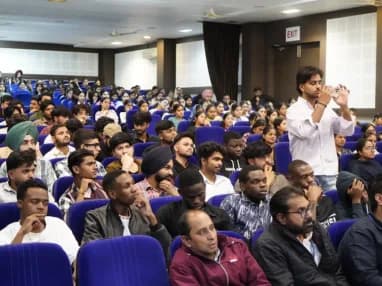
Build skills that hold up beyond the classroom.
What separates this from a playlist of tutorials is supervision on real work. From the second half of the course you build on live client projects with a trainer beside you, make decisions that have consequences, and correct them the following week. That loop is the skill. No employer in Phagwara will take your word for it without work they can inspect.
Be realistic about the money. A fresher who finishes with a working portfolio starts near the bottom of the band and moves quickly; someone who finishes with a certificate and nothing to show does not. The difference is entirely what you built.
The alternative is what most people try first: free videos, a cheap online course, six months of drifting, and knowledge you cannot demonstrate. A structured programme with live projects, a mentor who corrects you, an internship letter and a placement cell that actually calls employers is the difference between knowing the subject and being hired to do it.
Students reach the Phagwara centre from Banga, Nakodar, Kartarpur and the university belt, and the weekend batch exists so a job or a degree does not have to be paused to attend.
The first month covers Linux, Bash, networking and Git. Once these basics are clear, every AWS service becomes easier to understand because you already know how the system underneath works.
You set up a real AWS account with billing controls, then learn IAM, VPC, EC2, S3 and RDS by actually building and configuring — not just watching slides.
Every topic ends with a deliverable — labs, reports, a hosted application and a final capstone. You leave with work you can show in interviews.
This 3-month course is the foundation of the 6-month and 9-month tracks. If you want to go deeper later, you continue from where you left off — nothing is repeated.
Complete the course with a portfolio of live projects and receive an industry-recognised certificate, plus a documented internship letter accepted by Punjab universities.
Recognised by employers across Punjab and beyond
Based on real client work, not a simulation
Live work you can show in any interview
CV review, mock interviews and hiring drives
Two certificates on completion — the course certificate and a separate capstone project certificate.
The roles this opens, what they pay in Punjab and beyond, and who is hiring for them — drawn from published job-market listings, not a brochure number.
Entry-level administration — working with Linux, scripting routine tasks, configuring networks and managing AWS IAM, VPC and EC2. The course projects demonstrate exactly this capability.
A structured entry position at IT services companies, where your capstone project is the primary evidence — you present it and explain the architecture decisions behind it.
Supervised infrastructure work: provisioning instances, adjusting security groups, restoring snapshots and responding to CloudWatch alerts.
Monitoring, ticket resolution, cost verification, backup checks and first-line troubleshooting of standard issues — all covered hands-on during the training.
Salary outlook — Cloud Support Engineer
Runs and supports the infrastructure applications live on. Cloud roles also offer more remote and freelance opportunity than most fields, which widens the market well past Phagwara.
Indicative ranges compiled from public job-market listings. Actual offers vary by employer, skillset and interview performance.
Backup, log-parsing and health-check scripts scheduled with cron and version-controlled in Git.
Diagnose and document a set of network faults using ping, traceroute, dig, netstat and curl, with packet evidence from Wireshark.
A multi-AZ VPC with public and private subnets, NAT gateway, bastion access and flow logs.
An EC2, VPC, S3 and RDS deployment with Route 53 DNS and CloudWatch monitoring in place.
A site hosted straight from S3 with bucket policies, versioning, encryption and lifecycle rules configured.
A multi-tier architecture using ALB, Auto Scaling, private subnets and security controls, presented with an architecture diagram, documentation and a mock interview.
Every project moves through the same loop: understand the brief, build with guidance, then explain the decisions behind your work.
Take a real requirement apart before touching a tool — what is being asked, what it needs, and which part to build first.
Linux & Bash Automation Toolkit
Work hands-on with your trainer watching the screen, so a wrong turn is caught in the same session rather than three weeks later.
Networking Troubleshooting Report
Walk through what you built and why you built it that way. This is the interview rehearsal, run against every project rather than once at the end.
Secure AWS Network
There are many places to learn this in Phagwara and the brochure syllabus looks similar at all of them. What differs is who teaches, whether you ever touch real work, and whether anyone picks up the phone after you have paid. techcadd has trained students across Punjab since 2007 on the same model: small batches, working practitioners as trainers, client projects as coursework.
You advance when your work passes review, not when the calendar says so. If you need extra time on a topic, you get it — nobody is rushed ahead.
Every AWS session runs in a real account with billing controls — under trainer supervision, so mistakes become learning moments rather than surprise bills.
The people teaching VPC design and IAM policies are the same people doing this work for real clients, which is why the course covers problems that actually happen.
Finish with a certificate and a capstone, or continue into the 6-month and 9-month tracks later. You pick up from where you left off — nothing is repeated.
Find answers to the questions students ask before enrolling.
Three months (12 weeks). Weekday, evening and weekend batches cover the same syllabus, and 1-on-1 training is available if you prefer your own pace. Every class runs for 2 hours, whichever format you choose.

Send your question and a counsellor will call you back about batch timings, fees, EMI options, placement record, or whether this course fits your degree.
One call with a counsellor is usually enough to find out. Book a free demo class and see the lab before you decide.