

Linux Server Setup & Hardening
Stand up a Linux server and secure it properly: SSH access, user management and the shell scripting that makes it repeatable.
- Linux
- SSH
Deploy and run real infrastructure — AWS, Azure, Linux, networking, security, load balancing and DevOps, with live migration projects and placement assistance.

25,000+
Students trained
since 2007
4.9★
Google rating
556+ reviews
100%
Practical training
live client work
Techcadd’s Cloud Computing Course in Phagwara is an industry-oriented course that teaches students, graduates, job seekers and beginners to manage cloud infrastructure on AWS, Azure and Linux. It covers cloud architecture, virtualisation, networking, storage, databases, DevOps, security and automation. The training is based on practical deployment rather than theory: you work in the console, configure servers, run live migration projects and implement security, so you see how cloud is actually used in software deployment, IT infrastructure, data security and business scaling. The approach is beginner-friendly throughout, developing system administration skill, architecture planning and cloud logic together — by the end you can deploy, manage and secure applications on the cloud with confidence.

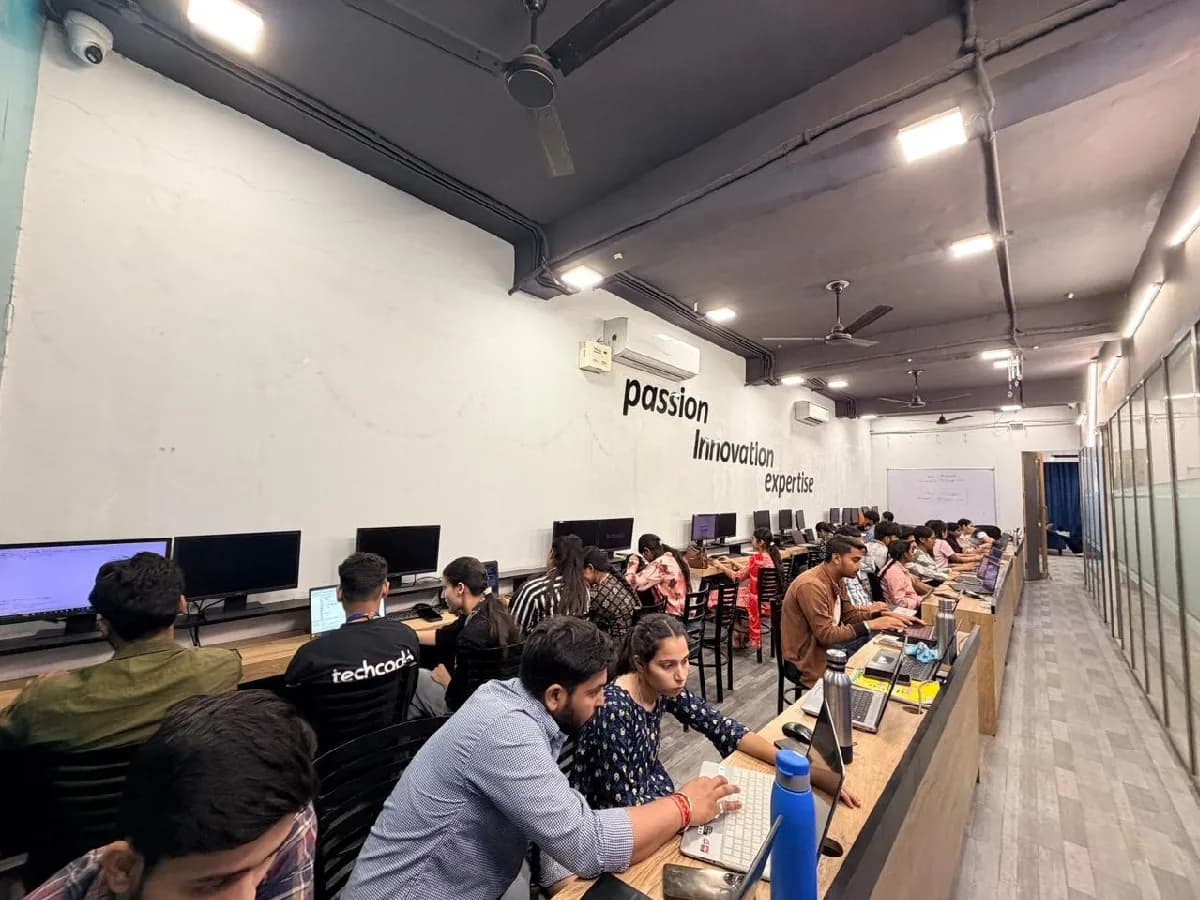
The Cloud Computing course is built for people at six different starting points, and the batch is deliberately mixed. What matters far more than your background is turning up consistently and finishing what each module asks you to build.
Interested in IT infrastructure, professionally or otherwise? The console-based approach makes server and networking basics graspable. You will meet server creation, storage buckets, networking, IAM users and problem solving — a useful skill alongside your academics.
Infrastructure should be taught through real deployments, not textbooks. Whatever your discipline — computer science, engineering, commerce or management — console exercises in Linux, networking, databases and automation strengthen your projects and portfolio.
Theory alone does not move an employer. They want deployment-ready problem-solvers. Linux skill, networking logic, debugging and a portfolio built in the AWS console beat a certificate every time.
Already in IT support, system administration or testing? Cloud lets you automate infrastructure work and materially upgrade your package. Server migration, load balancing, auto scaling and DevOps become an addition, not a career change.
You do not need to be a developer to care about cloud cost. Understanding scalability, data security and deployment makes conversations with a CTO productive — and makes over-provisioned bills obvious.
For DevOps or freelance server management, this is the backbone: server configuration, CI/CD pipelines, DNS management, security groups and production-ready environments — later applied to migrations, hosting and infrastructure as code.
Everything is moving to the cloud and the people who can actually run it are scarce — which is why cloud and DevOps roles pay above almost any other entry point in IT here. That gap is the whole argument for this course: there is local demand, there are budgets, and there are very few trained people to hand the work to.

Build skills that hold up beyond the classroom.
What separates this from a playlist of tutorials is supervision on real work. From the second half of the course you build on live client projects with a trainer beside you, make decisions that have consequences, and correct them the following week. That loop is the skill. No employer in Phagwara will take your word for it without work they can inspect.
Be realistic about the money. A fresher who finishes with a working portfolio starts near the bottom of the band and moves quickly; someone who finishes with a certificate and nothing to show does not. The difference is entirely what you built.
The alternative is what most people try first: free videos, a cheap online course, six months of drifting, and knowledge you cannot demonstrate. A structured programme with live projects, a mentor who corrects you, an internship letter and a placement cell that actually calls employers is the difference between knowing the subject and being hired to do it.
Students reach the Phagwara centre from Banga, Nakodar, Kartarpur and the university belt, and the weekend batch exists so a job or a degree does not have to be paused to attend.
Cloud platforms have spread well past IT companies. AWS and Azure run startups, MNCs, AI workloads, analytics and web hosting alike. Linux, networking, storage and automation make one qualification useful across many roles.
Not memorising service names. Cloud fundamentals and the IaaS/PaaS/SaaS split, Linux administration, networking and security groups, storage and databases, load balancing and auto scaling, DevOps and CI/CD, infrastructure as code, cost optimisation and monitoring.
Watching AWS tutorials is useful; deploying a server and then fixing its errors teaches far more. Console assignments cover deployment, security hardening, backup and DevOps automation.
Depending on your interest, cloud leads to Cloud Architect, DevOps Engineer, System Administrator, Cloud Security Analyst or Site Reliability Engineer — among the best-paid tracks in IT.
The syllabus is arranged so every module produces an asset rather than a set of notes. You will cover cloud computing fundamentals, linux & networking for cloud, storage, databases & data management, security, identity & compliance, and finish with a live project built on AWS, Microsoft Azure, Google Cloud Platform. Modules run in the order a real project runs: foundations first, then the core skills, then applied work under supervision, then the portfolio and interview preparation that turn all of it into an offer letter.
The working knowledge the job description actually lists.
Storage, Databases & Data Management
Find out how professional cloud applications store data, and what it costs when you get it wrong.
3 weeks · 12 sessions
Security, Identity & Compliance
Find out how cloud security is actually enforced rather than assumed.
3 weeks · 12 sessions
Load Balancing, Auto Scaling & High Availability
Find out how the cloud absorbs real traffic — and what keeps a service up when something fails.
3 weeks · 12 sessions
Topics covered
The Cloud Computing course runs as three nested levels. Each one builds on the last, so you can start at the foundation and continue later without repeating anything.
Fundamental cloud skills step by step through practical console work and beginner-friendly projects.
Skills & tools
Recommended for
Cloud Support Trainee, IT Intern, Junior System Administrator and anyone starting a cloud course in Phagwara.
Real-world deployment across networking, security, load balancing and DevOps automation, with advanced Linux and problem solving.
Skills & tools
Recommended for
Cloud Engineer, DevOps Associate, AWS Administrator and System Engineer.
Cloud combined with DevOps, Kubernetes, security and the advanced architectures that hold up under load.
Skills & tools
Recommended for
DevOps Engineer, Cloud Architect, Site Reliability Engineer and Security Specialist.
Cloud fundamentals
Linux & networking
Storage & databases
Security & IAM
Server deployment
Advanced networking
Load balancing & auto scaling
DevOps & CI/CD
Docker & Kubernetes
Infrastructure as code
Advanced architecture
Capstone projects
The programme is nested, not parallel. The 3-month course builds your infrastructure foundation. The 6-month track includes those fundamentals and moves into networking, security and DevOps. The 9-month programme builds further with advanced DevOps, Kubernetes and architecture. Choose 3 months for AWS/Azure basics, Linux, networking and storage; 6 months to deploy applications, manage security and use DevOps tooling; 9 months for architecture, Kubernetes and advanced automation.
The toolchain behind the craft
Everything below is installed on the lab machines and used on live client work, not shown once in a slide and forgotten.
Complete the course with a portfolio of live projects and receive an industry-recognised certificate, plus a documented internship letter accepted by Punjab universities.
Recognised by employers across Punjab and beyond
Based on real client work, not a simulation
Live work you can show in any interview
CV review, mock interviews and hiring drives
Two certificates on completion — the course certificate and a separate capstone project certificate.
The roles this opens, what they pay in Punjab and beyond, and who is hiring for them — drawn from published job-market listings on one comparable scale, not a brochure number.
Salary outlook
Deploys, secures and runs the infrastructure applications live on. Earnings depend on your infrastructure skills, portfolio, experience, company and location.
Punjab — Cloud Engineer
Delhi / NCR — Cloud / DevOps
Remote / Freelance Cloud Consulting
Indicative ranges for Cloud Engineer roles, compiled from public job-market listings and drawn on the same scale in every market. Actual offers vary by employer, skillset and interview performance — Punjab pay typically reaches 2× the fresher ceiling within two years of delivery experience.
Talk about your target roleCloud Support Engineer, AWS/Azure Administrator, DevOps Engineer, System Engineer and Cloud Security Analyst. A portfolio of deployed architectures matters far more here than certificates alone.
A fresher starts around ₹20,000 – ₹35,000 a month in the Punjab market, reaching ₹35,000 – ₹60,000 within two years. Cloud and DevOps sit alongside security and AI as the best-paid entry points in this catalogue.
Yes — cloud work is naturally remote, since the infrastructure is not in the room anyway. Income ramps rather than starting at a salary: around ₹15,000 – ₹30,000 a month early on, and ₹40,000 to over ₹1,00,000 once you have migrations and running environments behind you.
IT service companies building on cloud, startups running backend infrastructure on AWS, data and analytics companies processing at scale, and AI companies using cloud GPUs — plus remote and freelance work.
Not meaningfully. AWS and Azure both offer free tiers that cover almost everything in this course, and the labs are designed around them. The one habit worth building early is shutting down what you are not using — an instance left running over a weekend is how most students get their first surprise bill, and cost awareness is part of the course for exactly that reason.
Stand up a Linux server and secure it properly: SSH access, user management and the shell scripting that makes it repeatable.
Build a proper three-tier architecture in a VPC — public and private subnets, EC2 instances and security groups that actually restrict what they should.
Build a system with no servers to manage: S3 events triggering Lambda functions, with IAM scoped to exactly what each piece needs.
Move a database to managed cloud storage and prove you can get it back — snapshots, replication and a restore you have actually tested.
Put an application behind a load balancer and let it scale with demand, watching CloudWatch to see the decisions being made.
Build a pipeline that takes a commit and puts it into production — GitHub Actions to CodeDeploy, with artefacts in S3.
Define an entire environment in code so it can be destroyed and rebuilt identically — Terraform and CloudFormation rather than console clicks.
Migrate a workload to the cloud from first principles: strategy, security, deployment and the cost optimisation that follows.
The working loop
Every project moves through the same loop: understand the brief, build with guidance, then explain the decisions behind your work.
Turn a realistic business objective into an architecture strategy through requirement analysis, traffic modelling and choosing the services that actually fit.
Linux Server Setup & Hardening
Create and manage environments with trainer guidance — VPCs, subnets, EC2 instances, load balancers and security hardening, with AI-assisted workflows.
Secure 3-Tier Web Architecture
Present your architecture diagram, security strategy, cost decisions and deployment results — then take the work into your professional portfolio.
Serverless File Processing System
There are many places to learn this in Phagwara and the brochure syllabus looks similar at all of them. What differs is who teaches, whether you ever touch real work, and whether anyone picks up the phone after you have paid. techcadd has trained students across Punjab since 2007 on the same model: small batches, working practitioners as trainers, client projects as coursework.
Cloud is a good place for beginners when it is taught properly. Trainers here explain the console and Linux logic through simple, practical examples rather than service catalogues.
Projects make the theory meaningful. You learn through hands-on work spanning deployment, security, load balancing, databases, automation and troubleshooting.
Infrastructure is far easier when you can clear a doubt on network logic in real time and practise the command while you are still stuck on it.
You finish with a portfolio demonstrating AWS and Azure work, automation, Linux, databases, security and deployment — real architectures to discuss in an interview.
Because cloud underpins DevOps, software development, data science, AI and backend work, guidance is career-oriented: resume building, mock interviews and project presentation.
The aim is solving infrastructure problems with cloud logic, not learning where to click — practical Linux, networking, security, automation and deployment.
What made it click for me was the lab time. You can sit after class and someone will still explain it until you get it.
I travelled in for the weekend batch and it was worth every trip. Small batch, real work, no time wasted on theory nobody uses.
The course got me interview-ready faster than I expected. My interviewer asked to see my project and that was the whole conversation.
I was switching careers and worried I would be behind. Half the batch was doing the same thing, and nobody made it awkward.
I joined with almost no background and finished with a project I could actually show. The trainer never rushed the basics.
techcadd’s placement cell kept calling me for drives until I was placed. That persistence mattered more than anything else.
Choosing a Cloud Computing course should be about more than a certificate. If the goal is a career, the things worth comparing are the coding practice, the projects, the trainer support and the skills you can actually apply.
Curriculum
techcadd
Industry-focused, covering AWS, Azure, Linux, networking, security and DevOps
Commonly offered
Often focuses mainly on basic cloud theory
Learning style
techcadd
Practical, console-focused learning built around real deployment problems
Commonly offered
Can be more theory-oriented
Practical projects
techcadd
Students work on live migration and deployment tasks to strengthen problem solving
Commonly offered
Practical exposure may be limited
Infrastructure skills
techcadd
Focus on Linux, networking, debugging and writing efficient infrastructure as code
Commonly offered
May cover concepts without enough hands-on practice
Advanced cloud
techcadd
Exposure to DevOps, Kubernetes, Terraform and automation
Commonly offered
Advanced topics can vary by institute
Problem solving
techcadd
Regular deployment exercises designed to improve architectural thinking and confidence
Commonly offered
Problem-solving practice may receive less attention
Portfolio building
techcadd
Projects and assignments that help students showcase their cloud and DevOps skills
Commonly offered
Portfolio development may not be a major focus
Career support
techcadd
CV guidance, interview preparation, portfolio support and career-oriented guidance
Commonly offered
Career assistance varies between institutes
Doubt support
techcadd
Trainer guidance to help students understand networking concepts and solve challenges
Commonly offered
Support may be limited to classroom sessions
Certification
techcadd
Course completion supported by practical learning and project exposure
Commonly offered
Certification and practical exposure can vary
The right-hand column represents common market patterns, not a comparison with any specific institute. Before choosing a cloud computing institute in Phagwara, ask how much console practice is included, whether students build real environments, how trainers handle doubts, and what career support is provided.
It is designed to help beginners and aspiring IT professionals learn AWS, Azure and Linux through practical, career-focused training. Students learn cloud fundamentals, EC2, S3, VPC, IAM, load balancing and DevOps concepts with hands-on practice.
One call with a counsellor is usually enough to find out. Book a free demo class and see the lab before you decide.

Send your question and a counsellor will call you back about batch timings, fees, EMI options, placement record, or whether this course fits your degree.