Business Website
Design and develop a responsive business website with multiple pages, navigation, contact forms, and a professional UI.
Learn practical web designing with HTML, CSS, JavaScript, responsive design, Bootstrap, UI/UX, Figma, and real-world projects to build professional websites and start your web career.
Admissions open
Free demo class & counselling
Session slots
Learn the fundamentals of modern web designing through practical training in HTML5, CSS3, JavaScript, responsive design, Bootstrap, UI/UX, Figma, and WordPress. Develop hands-on skills by creating responsive websites, landing pages, business websites, portfolios, and interactive web pages through real-world projects. Understand essential web development workflows, including Git & GitHub, domain and hosting basics, website deployment, and maintaining professional websites. Build a strong portfolio and develop practical skills that can support opportunities in web designing, front-end development, UI design, WordPress development, and freelancing.
The syllabus is arranged so every module produces an asset rather than a set of notes. You will cover web designing fundamentals, html, css & responsive design, ui design & user experience, javascript, forms & interactivity, and finish with a live project built on HTML5, CSS3, JavaScript. Modules run in the order a real project runs: foundations first, then the core skills, then applied work under supervision, then the portfolio and interview preparation that turn all of it into an offer letter.
The working knowledge the job description actually lists.
UI Design & User Experience
Learn what professional website interfaces are made of, and how to build them consistently.
3 weeks · 12 sessions
JavaScript, Forms & Interactivity
Learn how a website stops being a poster and starts responding to the person using it.
3 weeks · 12 sessions
Modern CSS & Website Layouts
Learn how modern sites are built beyond basic styling, and make components you can reuse.
3 weeks · 12 sessions
Topics covered
The Web Designing Course in Phagwara course runs as three nested levels. Each one builds on the last, so you can start at the foundation and continue later without repeating anything.
Step by step through coding and website projects, until building a page and making it responsive stops feeling difficult.
Skills & tools
Recommended for
Web Design Trainee, Web Design Intern, Junior Web Designer, and anyone starting a web designing course in Phagwara.
Work with JavaScript, responsive layouts, UI design, forms and website development, with advanced coding and design skills.
Skills & tools
Recommended for
Web Designer, Junior Web Developer, Front-End Developer, UI Designer.
Responsive development, JavaScript, UI/UX, modern CSS, APIs and WordPress — building complete website projects end to end.
Skills & tools
Recommended for
Web Designer, Front-End Developer, UI Designer, Website Developer, Freelance Web Designer, and the advanced front-end path.
HTML fundamentals
CSS fundamentals
Website layouts
Responsive design
Flexbox & CSS Grid
Forms & components
Basic UI design
Advanced CSS
JavaScript fundamentals
DOM & interactivity
Bootstrap / Tailwind CSS
WordPress
Git & GitHub
Figma & UI workflow
API integration
Advanced responsive design
Advanced projects
The programme is nested, not parallel. The 3-month course lays the foundation in design and coding. The 6-month track includes that and adds JavaScript, responsive development, UI and website development. The 9-month programme advances into front-end development, APIs, UI workflows and complete website projects. Choose 3 months for HTML, CSS, layouts and responsive basics; 6 months to add JavaScript, UI design and real website development; 9 months for advanced front-end, UI/UX, APIs and WordPress.
Design and develop a responsive business website with multiple pages, navigation, contact forms, and a professional UI.
Build a responsive online store with product listings, categories, search, cart interface, and a user-friendly checkout flow.
Create a modern portfolio website showcasing skills, projects, achievements, services, and contact information.
Plan and create a complete website interface in Figma, including wireframes, visual components, responsive layouts, and an interactive prototype.
The working loop
Every project moves through the same loop: understand the brief, build with guidance, then explain the decisions behind your work.
Understand the project requirements, identify the target audience, review references, and define what the final website should achieve.
Business Website
Create the website structure, page layout, navigation flow, and basic wireframes before starting the design.
E-Commerce Website
Create the visual interface using Figma, including typography, colors, components, responsive layouts, and UI elements.
Personal Portfolio Website
Convert the design into a functional website using HTML, CSS, JavaScript, Bootstrap, and other appropriate tools.
UI/UX Website Prototype
Test the website across different screen sizes, fix layout and functionality issues, and improve usability and responsiveness.
Deploy the completed website and organize the project for a portfolio, interview, freelance presentation, or client demonstration.
There are many places to learn this in Phagwara and the brochure syllabus looks similar at all of them. What differs is who teaches, whether you ever touch real work, and whether anyone picks up the phone after you have paid. techcadd has trained students across Punjab since 2016 on the same model: small batches, working practitioners as trainers, client projects as coursework.
HTML, CSS, JavaScript, layout concepts and design principles explained with simple, practical examples rather than definitions — which is what a beginner actually needs.
Projects make the theory mean something. You learn through real work covering websites, responsive layouts, UI design, forms, JavaScript and front-end development.
Design and coding get much easier when you can clear a doubt in real time and practise the concept while you are still stuck on it.
You finish with a project portfolio covering website layouts, responsive design, UI components, JavaScript interaction and front-end development — real examples to discuss in an interview.
Because web design spans agencies, startups, e-commerce and online business, guidance is career-oriented: resume building, mock interviews, project presentation and portfolio direction.
The goal is solving a website requirement with design and coding logic, not copying pages. That means practical HTML, CSS, responsive design, JavaScript, UI and front-end technologies.
Local IT companies, digital marketing agencies, web development firms, startups, businesses, and freelance clients hire web designers to create and maintain professional websites.
Build skills that hold up beyond the classroom.
What separates this from a playlist of tutorials is supervision on real work. From the second half of the course you build on live client projects with a trainer beside you, make decisions that have consequences, and correct them the following week. That loop is the skill. No employer in Phagwara will take your word for it without work they can inspect.
Be realistic about the money. A fresher who finishes with a working portfolio starts near the bottom of the band and moves quickly; someone who finishes with a certificate and nothing to show does not. The difference is entirely what you built.
The alternative is what most people try first: free videos, a cheap online course, six months of drifting, and knowledge you cannot demonstrate. A structured programme with live projects, a mentor who corrects you, an internship letter and a placement cell that actually calls employers is the difference between knowing the subject and being hired to do it.
Students reach the Phagwara centre from Banga, Nakodar, Kartarpur and the university belt, and the weekend batch exists so a job or a degree does not have to be paused to attend.
Build 2–3 real-world websites and create a portfolio you can confidently showcase in interviews and freelance work.
Learn to create websites that work smoothly across desktops, tablets, and mobile devices.
Develop a strong foundation in HTML5, CSS3, and JavaScript to build modern and interactive web pages.
Learn wireframing, layouts, visual design, and Figma to create attractive and user-friendly website interfaces.
Work on hands-on assignments and projects based on real website requirements rather than only learning theory.
Understand domains, hosting, SSL, Git/GitHub, and the basic workflow for taking a website from development to live deployment.
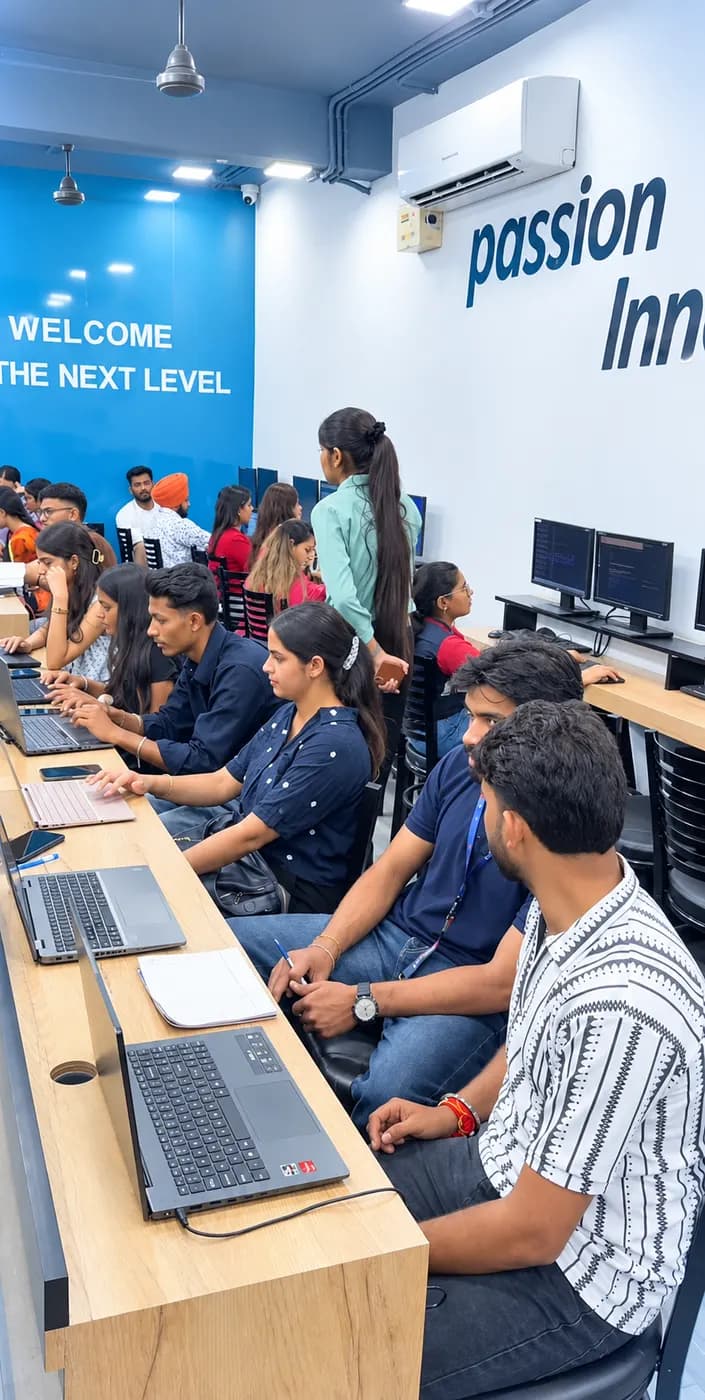
The Web Designing Course in Phagwara course is built for people at six different starting points, and the batch is deliberately mixed. What matters far more than your background is turning up consistently and finishing what each module asks you to build.
Fresh graduates and students who want a structured, practical pathway into web designing and the digital industry.
Students who want to develop job-ready web designing skills alongside their academic studies.
Learners with little or no prior web design experience who want to build websites from the fundamentals.
Individuals who want to create websites for clients, promote their own business, or start offering web design services.
The toolchain behind the craft
Everything below is installed on the lab machines and used on live client work, not shown once in a slide and forgotten.
Complete the course with a portfolio of live projects and receive an industry-recognised certificate, plus a documented internship letter accepted by Punjab universities.
Recognised by employers across Punjab and beyond
Based on real client work, not a simulation
Live work you can show in any interview
CV review, mock interviews and hiring drives
Two certificates on completion — the course certificate and a separate capstone project certificate.
The roles this opens, what they pay in Punjab and beyond, and who is hiring for them — drawn from published job-market listings on one comparable scale, not a brochure number.
Salary outlook
Designs and builds responsive websites and interfaces. Earnings depend on your design skills, portfolio, experience, company and location.
Punjab — Web Designer
Delhi / NCR — Web Design & Front-End
Remote / Freelance Web Designing
Indicative ranges for Web Designer roles, compiled from public job-market listings and drawn on the same scale in every market. Actual offers vary by employer, skillset and interview performance — Punjab pay typically reaches 2× the fresher ceiling within two years of delivery experience.
Talk about your target roleWeb Designer, Front-End Developer, UI Designer, Website Developer and WordPress Designer. Web design sits behind business sites, digital agencies, startups, e-commerce and online services, which is what makes it such a portable first skill.
A fresher with a working portfolio starts around ₹18,000 – ₹30,000 a month in the Punjab market, rising to ₹30,000 – ₹50,000 with two years of delivery experience. Delhi/NCR runs higher, and front-end specialists move well beyond it.
Yes — web design is one of the easiest skills to freelance with locally, because every business needs a site. Freelance income ramps rather than starting at a salary: around ₹10,000 – ₹25,000 a month early on, and ₹30,000 – ₹80,000+ once you have shipped real client sites.
Software development companies, digital marketing agencies needing sites and landing pages, IT startups building digital products, and e-commerce companies needing responsive storefronts — plus freelance and remote work.
The certificate and portfolio stand on their own, and they stack. Web designing is the foundation under front-end development, full-stack and UI/UX tracks, so the second course is faster than the first.
Choosing a Web Designing Course in Phagwara course should be about more than a certificate. If the goal is a career, the things worth comparing are the coding practice, the projects, the trainer support and the skills you can actually apply.
Web designing curriculum
techcadd
Industry-focused training covering HTML, CSS, JavaScript, responsive design, UI/UX, layouts and advanced concepts
Commonly offered
Often focuses mainly on basic HTML and CSS
Learning style
techcadd
Practical, design and coding-focused learning built around real website requirements
Commonly offered
Can be more theory-oriented
Practical projects
techcadd
Students work on website assignments and project-based tasks to strengthen design and problem-solving skills
Commonly offered
Practical exposure may be limited
Designing skills
techcadd
Focus on layout design, responsive development, UI, debugging and writing clean front-end code
Commonly offered
May cover concepts without enough website practice
Advanced web design
techcadd
Exposure to responsive layouts, JavaScript, UI tools, APIs and modern website development
Commonly offered
Advanced topics can vary by institute
Problem solving
techcadd
Regular design and coding exercises designed to improve logical thinking and development confidence
Commonly offered
Problem-solving practice may receive less attention
Portfolio building
techcadd
Projects and assignments that help students showcase their web designing skills
Commonly offered
Portfolio development may not be a major focus
Career support
techcadd
CV guidance, interview preparation, portfolio support and career-oriented guidance
Commonly offered
Career assistance varies between institutes
Doubt support
techcadd
Trainer guidance to help students understand design concepts and solve coding challenges
Commonly offered
Support may be limited to classroom sessions
Certification
techcadd
Course completion certification supported by practical learning and project exposure
Commonly offered
Certification and practical exposure can vary
The right-hand column represents common market patterns, not a comparison with any specific institute. Before choosing a web designing institute in Phagwara, ask how much coding and design practice is included, whether students build real websites, how trainers handle doubts, and what career support is provided.
What made it click for me was the lab time. You can sit after class and someone will still explain it until you get it.
I travelled in for the weekend batch and it was worth every trip. Small batch, real work, no time wasted on theory nobody uses.
The course got me interview-ready faster than I expected. My interviewer asked to see my project and that was the whole conversation.
I was switching careers and worried I would be behind. Half the batch was doing the same thing, and nobody made it awkward.
I joined with almost no background and finished with a project I could actually show. The trainer never rushed the basics.
techcadd’s placement cell kept calling me for drives until I was placed. That persistence mattered more than anything else.
It is designed to help beginners and aspiring web designers learn website design through practical, career-focused training. Students learn HTML, CSS, responsive design, JavaScript, UI concepts, website layouts and real-world web designing with hands-on practice.
Send your question and a counsellor will call you back about batch timings, fees, EMI options, placement record, or whether this course fits your degree.
One call with a counsellor is usually enough to find out. Book a free demo class and see the lab before you decide.