

Company Setup & Chart of Ledgers
Create a sample trading company in Tally ERP 9 with the right F11 features, groups and opening balances.
- Tally ERP 9
A practical Tally ERP 9 course in Phagwara for learners who want to work on the Tally version many established offices and CA firms still run — accounting basics, vouchers, inventory, GST, payroll, reports and moving data to TallyPrime.
The Tally ERP 9 Course in Phagwara is a hands-on accounting programme built around the version of Tally that a large number of established shops, traders, manufacturers and CA offices have used for years and still keep their books in. You begin with the accounting rules behind every entry, then learn the Gateway of Tally, company creation, groups, ledgers and the F11 features and F12 configuration settings that control how a company behaves. From there you record every common voucher type, reconcile bank accounts, manage stock, apply GST, and prepare the reports an owner or CA asks for at month end. Because Tally Solutions’ current product is TallyPrime, the course does not stop at ERP 9. The final module shows how an existing ERP 9 company is backed up, checked and migrated to TallyPrime. That combination — comfortable in the older screens, ready for the newer one — is exactly what offices in the middle of an upgrade need from a new accounts assistant.

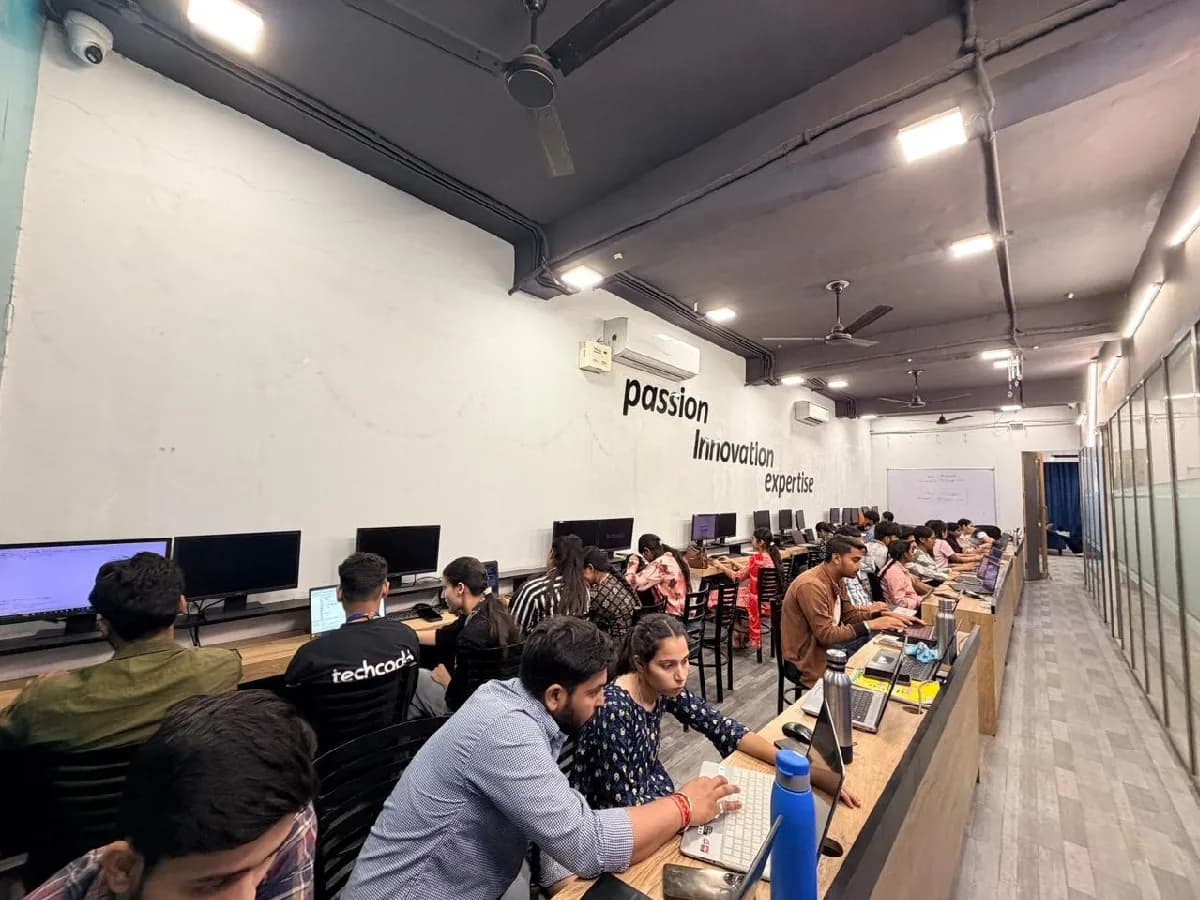
The Tally ERP 9 course is built for people at six different starting points, and the batch is deliberately mixed. What matters far more than your background is turning up consistently and finishing what each module asks you to build.
B.Com, M.Com and 12th-commerce students who know the theory of accounts but have never entered a voucher. Turn journal entries from the textbook into real books kept in Tally ERP 9.
Arts, science and other streams are welcome. The course starts with the golden rules of accounting, so you learn why an entry goes where it does before you learn the keys to press.
If your employer’s books are in Tally ERP 9 and you learnt only part of it on the job, fill the gaps — inventory, GST, reports and data backup — in a structured way.
Many CA offices receive client data in ERP 9 format. Learn to open, check, correct and report on that data confidently, and to handle it during a client’s move to TallyPrime.
If your business has run on ERP 9 for years, understand your own books, read your reports and supervise your accountant — and know what an upgrade to TallyPrime involves.
Accounts assistant, billing and Tally operator vacancies in the region regularly ask for Tally experience. Practical ERP 9 skills plus TallyPrime awareness widen the range of offices you can work in.
Plenty of established businesses and CA firms around Phagwara, Jalandhar and Ludhiana still run Tally ERP 9 on their office computers, often with years of company data in it. They need staff who can work in it immediately and help them move to TallyPrime when they upgrade. That gap is the whole argument for this course: there is local demand, there are budgets, and there are very few trained people to hand the work to.

Build skills that hold up beyond the classroom.
What separates this from a playlist of tutorials is supervision on real work. From the second half of the course you build on live client projects with a trainer beside you, make decisions that have consequences, and correct them the following week. That loop is the skill. No employer in Phagwara will take your word for it without work they can inspect.
Be realistic about the money. A fresher who finishes with a working portfolio starts near the bottom of the band and moves quickly; someone who finishes with a certificate and nothing to show does not. The difference is entirely what you built.
The alternative is what most people try first: free videos, a cheap online course, six months of drifting, and knowledge you cannot demonstrate. A structured programme with live projects, a mentor who corrects you, an internship letter and a placement cell that actually calls employers is the difference between knowing the subject and being hired to do it.
Students reach the Phagwara centre from Banga, Nakodar, Kartarpur and the university belt, and the weekend batch exists so a job or a degree does not have to be paused to attend.
Golden rules, journal, ledger, trial balance and final accounts are covered before Tally opens, so every voucher you enter later makes sense rather than being memorised.
Gateway of Tally, F11 features, F12 configuration, Alt and Ctrl shortcuts, and the display menus — the exact way existing users move around ERP 9 every day.
Contra, payment, receipt, journal, sales, purchase, debit note and credit note vouchers, cheque details, and bank reconciliation against a sample bank statement.
Stock groups, categories, units, godowns, batches, price lists and order processing, with stock summary and movement reports to check the figures.
Enable GST, set tax rates on ledgers and items, raise tax invoices, and check the GST reports that feed returns — plus introductions to TDS and payroll.
Back up ERP 9 data, verify it, migrate a company to TallyPrime and find your way around the new interface, so an upgrade at work does not set you back.
The syllabus is arranged so every module produces an asset rather than a set of notes. You will cover accounting fundamentals, getting started in tally erp 9, vouchers & banking, inventory in tally erp 9, and finish with a live project built on Tally ERP 9, TallyPrime (migration), Gateway of Tally. Modules run in the order a real project runs: foundations first, then the core skills, then applied work under supervision, then the portfolio and interview preparation that turn all of it into an offer letter.
The working knowledge the job description actually lists.
Vouchers & Banking
Recording day-to-day transactions correctly.
2 weeks · 10 sessions
Inventory in Tally ERP 9
Stock that matches the shelves.
2 weeks · 8 sessions
Topics covered
The Tally ERP 9 course runs as three nested levels. Each one builds on the last, so you can start at the foundation and continue later without repeating anything.
A focused programme covering accounting basics and the core of Tally ERP 9 — company setup, vouchers, banking, inventory, GST invoicing and standard reports.
Skills & tools
Recommended for
Learners who want to start working in Tally ERP 9 quickly.
Everything in the 2-month course, plus TDS, payroll, cost centres, deeper inventory, data management, migration to TallyPrime and a full practical company project.
Skills & tools
Recommended for
Learners aiming for accounts roles in offices that use or are upgrading from ERP 9.
Accounting Fundamentals & Golden Rules
Trial Balance & Final Accounts Basics
Gateway of Tally & Navigation
Company Creation & Security
F11 Features & F12 Configuration
Groups & Ledgers
Accounting Vouchers
Debit & Credit Notes
Bill-wise Details & Outstandings
Bank Reconciliation
Stock Items, Units & Godowns
Batches, Price Lists & Order Processing
GST Setup & Tax Invoices
GST Reports (GSTR-1 & GSTR-3B)
TDS Basics
Payroll & Payslips
Cost Categories & Cost Centres
Balance Sheet, P&L & Ratio Analysis
Backup, Restore & Split Company Data
Migration from ERP 9 to TallyPrime
TallyPrime Interface Orientation
Full-Period Practical Company Project
Final Practical Assessment
Choose 2 months to build a working command of Tally ERP 9 — accounting basics, company setup, vouchers, bank reconciliation, inventory, GST invoicing and standard reports. Choose 3 months to add TDS, payroll, cost centres, deeper inventory, data backup, migration to TallyPrime and a complete practical company project. The shorter course gets you working in ERP 9; the extra month prepares you for the full range of work in an accounts office that is running or upgrading from ERP 9.
The toolchain behind the craft
Everything below is installed on the lab machines and used on live client work, not shown once in a slide and forgotten.
Complete the course with a portfolio of live projects and receive an industry-recognised certificate, plus a documented internship letter accepted by Punjab universities.
Recognised by employers across Punjab and beyond
Based on real client work, not a simulation
Live work you can show in any interview
CV review, mock interviews and hiring drives
Two certificates on completion — the course certificate and a separate capstone project certificate.
The roles this opens, what they pay in Punjab and beyond, and who is hiring for them — drawn from published job-market listings on one comparable scale, not a brochure number.
Salary outlook
Entry-level accounts roles that practical Tally skills open up. Earnings depend on your skills, the employer, the size of the business and location.
Jalandhar, Punjab
Ludhiana, Punjab
Amritsar, Punjab
Chandigarh (Tricity)
Mohali, Punjab
Patiala, Punjab
Delhi / NCR
Freelancing / Remote
Indicative ranges for Accounts Assistant / Tally Operator roles, compiled from public job-market listings and drawn on the same scale in every market. Actual offers vary by employer, skillset and interview performance — Punjab pay typically reaches 2× the fresher ceiling within two years of delivery experience.
Talk about your target roleCreate a sample trading company in Tally ERP 9 with the right F11 features, groups and opening balances.
Record a month of receipts, payments and contra entries for a small shop and check them in the day book.
Match Tally’s bank ledger against a sample bank statement and clear the differences.
Maintain stock across two godowns with batches and units, and produce a stock summary that matches the physical count.
Raise intra-state and inter-state tax invoices with correct rates and check the output in Tally’s GST reports.
Set up employees, pay heads and attendance, and process a month’s salary with a payslip.
Back up an ERP 9 company, verify the data, migrate it to TallyPrime and confirm the balances match after the move.
Complete a sample firm’s books for a financial year and present the trial balance, P&L, balance sheet and ratios.
The working loop
Every project moves through the same loop: understand the brief, build with guidance, then explain the decisions behind your work.
Understand the accounting rule behind a transaction, then see how it is entered in Tally ERP 9.
Company Setup & Chart of Ledgers
Enter the same kind of vouchers yourself on sample company data until the entries and shortcuts are second nature.
Cash Book & Day Book
Keep a complete company’s books, check them against reports, and carry the data across to TallyPrime as an office would.
Bank Reconciliation Statement
There are many places to learn this in Phagwara and the brochure syllabus looks similar at all of them. What differs is who teaches, whether you ever touch real work, and whether anyone picks up the phone after you have paid. techcadd has trained students across Punjab since 2016 on the same model: small batches, working practitioners as trainers, client projects as coursework.
The course reflects what you meet in local offices — older ERP 9 installations, years of data and upgrades to TallyPrime on the way.
Each concept is followed by entries on a practice company, so you leave with experience of keeping books rather than notes about them.
Learners from any stream can follow along, because the reasons behind each entry are taught before the software.
Learn ERP 9 properly and finish with a practical introduction to TallyPrime, instead of being limited to one version.
Move on to Advanced Excel, TallyPrime with GST or QuickBooks when you are ready to take on broader accounts work.
What made it click for me was the lab time. You can sit after class and someone will still explain it until you get it.
I travelled in for the weekend batch and it was worth every trip. Small batch, real work, no time wasted on theory nobody uses.
The course got me interview-ready faster than I expected. My interviewer asked to see my project and that was the whole conversation.
I was switching careers and worried I would be behind. Half the batch was doing the same thing, and nobody made it awkward.
I joined with almost no background and finished with a project I could actually show. The trainer never rushed the basics.
techcadd’s placement cell kept calling me for drives until I was placed. That persistence mattered more than anything else.
Choosing a Tally ERP 9 course should be about more than a certificate. If the goal is a career, the things worth comparing are the coding practice, the projects, the trainer support and the skills you can actually apply.
Accounting fundamentals
techcadd
✓ Taught before Tally
Commonly offered
Often skipped
ERP 9 configuration (F11 / F12)
techcadd
✓ Covered in depth
Commonly offered
Varies
Voucher practice
techcadd
✓ All common voucher types
Commonly offered
✓ Usually included
Bank reconciliation
techcadd
✓ On sample statements
Commonly offered
Varies
Inventory with godowns & batches
techcadd
✓ Included
Commonly offered
Often basic only
GST in Tally
techcadd
✓ Invoices + GST reports
Commonly offered
Varies
Payroll & TDS basics
techcadd
✓ Included in 3 months
Commonly offered
Varies
Migration to TallyPrime
techcadd
✓ Practical module
Commonly offered
Rarely covered
Practical company project
techcadd
✓ Full-period books
Commonly offered
Varies
Learning approach
techcadd
✓ Learn + Practise + Apply
Commonly offered
Often theory + practice
The right-hand column represents common market patterns, not a comparison with any specific institute. When choosing a Tally ERP 9 course in Phagwara, look beyond the course name at how much hands-on voucher practice you get, whether GST and inventory are taught properly, and whether you learn how to move data to TallyPrime.
A practical accounting programme that teaches Tally ERP 9 — accounting basics, company setup, vouchers, banking, inventory, GST, payroll and reports — along with how to move an ERP 9 company to TallyPrime.
One call with a counsellor is usually enough to find out. Book a free demo class and see the lab before you decide.

Send your question and a counsellor will call you back about batch timings, fees, EMI options, placement record, or whether this course fits your degree.