Computer Skills That Can Help With Office Jobs
Learn computer skills for office jobs in Phagwara with Techcadd. Develop MS Word, Excel, email, data entry, file management and digital workplace skills.
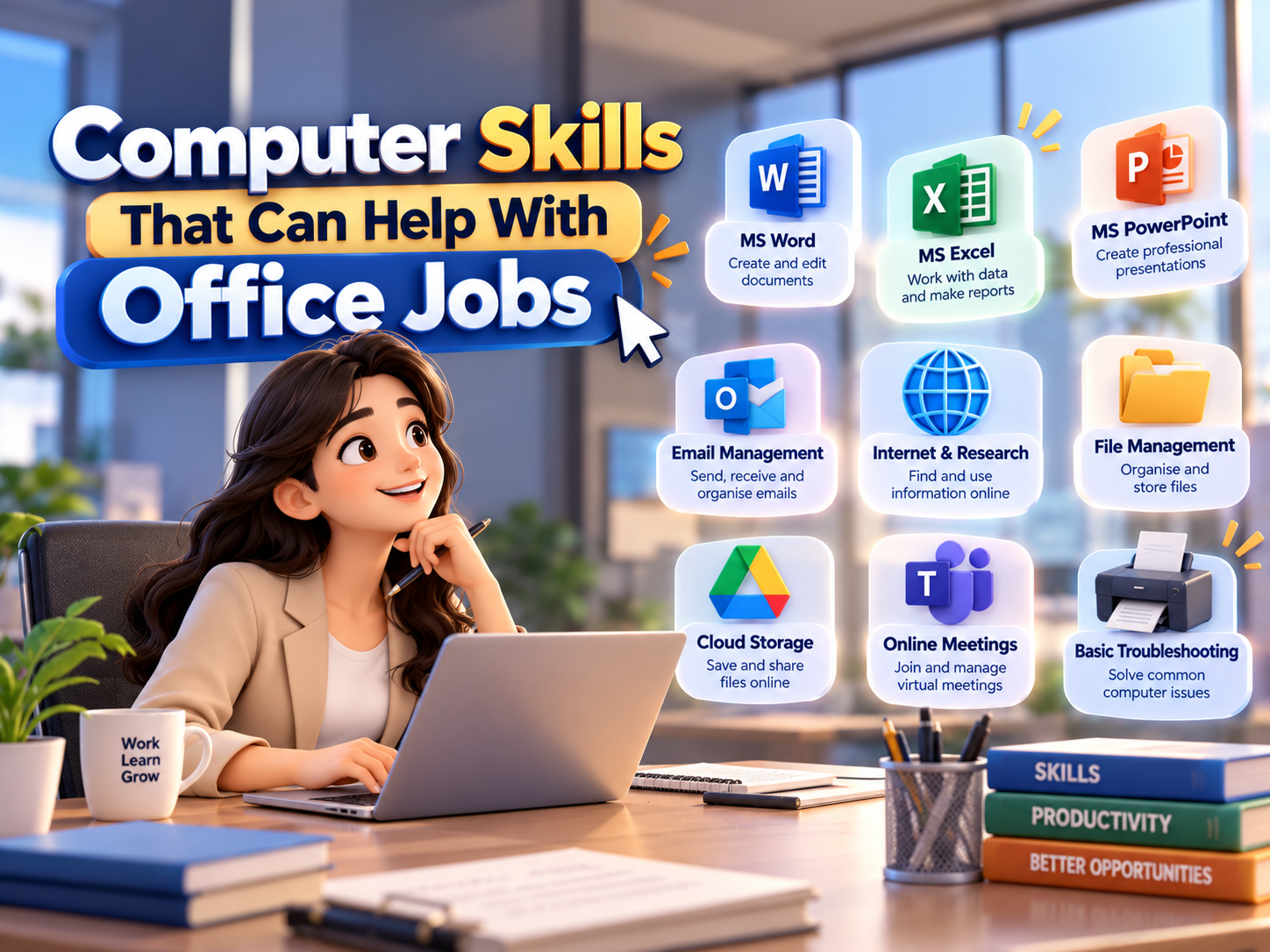
Computer skills have become an important part of modern office work. From creating documents and managing spreadsheets to sending emails and organizing digital files, employees in many office roles use computers throughout their daily tasks. For students, beginners, job seekers, and working professionals, developing practical computer skills can make it easier to handle common workplace responsibilities.
A Computer Skills Course can help learners understand the digital tools and applications commonly used in offices. Techcadd provides practical computer training that helps learners build a foundation in essential workplace computer skills. The training can be useful for students and beginners who want to improve their confidence with computers and prepare for different office-related responsibilities.
MS Word and Document Creation
MS Word is widely used for preparing professional documents, letters, reports, notices, applications, and other office files. Knowing how to create and format documents is a useful skill for administrative and office support roles.
Important MS Word skills include:
Creating and editing documents
Formatting text and paragraphs
Using headings and page layouts
Adding tables, images, and links
Creating professional letters and reports
Saving and organizing documents
Printing and sharing documents
Learning these functions can help beginners handle routine documentation tasks more efficiently.
MS Excel and Spreadsheet Skills
Excel is another important computer application used in many workplaces. It can be used for organizing information, maintaining records, preparing calculations, and creating basic reports.
Useful Excel skills include:
Entering and formatting data
Using basic formulas and functions
Creating tables
Sorting and filtering information
Managing rows and columns
Preparing simple charts
Maintaining records and lists
A basic understanding of Excel can be useful for office assistants, data entry professionals, administrative staff, and other roles where information needs to be organized digitally.
Email and Internet Skills
Professional communication often takes place through email and online platforms. Employees may need to send documents, communicate with colleagues, respond to inquiries, or access information online.
Important skills include:
Creating and managing email accounts
Writing professional emails
Attaching and downloading files
Organizing emails into folders
Using web browsers effectively
Searching for reliable information
Understanding basic online safety practices
Techcadd's practical computer training can help beginners become more comfortable with everyday email and internet activities.
File and Folder Management
Organizing digital files is an essential workplace skill. Employees often work with documents, spreadsheets, images, PDFs, presentations, and other digital files.
Basic file management skills include:
Creating and naming folders
Renaming and moving files
Copying and deleting files
Using different file formats
Searching for files on a computer
Managing downloads and documents
Using external storage devices
Good file organization can make it easier to find important documents and maintain a structured digital workspace.
Basic Typing and Data Entry Skills
Typing is a fundamental computer skill for many office positions. Employees may need to enter information into documents, spreadsheets, databases, forms, or business software.
Learners can work on:
Typing accuracy
Typing speed
Keyboard shortcuts
Data entry techniques
Numeric keypad usage
Basic document editing
Regular practice can help beginners become more comfortable while working with digital information.
PowerPoint and Presentation Skills
PowerPoint can be useful when employees need to create presentations, training material, meeting slides, or project summaries. Understanding basic presentation tools can add value to general office computer skills.
Learners can practice:
Creating presentation slides
Adding text and images
Using charts and tables
Applying simple layouts
Organizing information into slides
Presenting information clearly
These skills can be useful for students and professionals who may need to communicate information visually.
Basic Computer Troubleshooting
Employees do not always need advanced technical knowledge, but basic troubleshooting can help them deal with common computer problems.
Useful basic troubleshooting skills include:
Checking internet connectivity
Understanding basic system settings
Managing files and storage
Installing or updating common software
Handling printer-related issues
Identifying simple application problems
Restarting and checking basic system functions
Having basic troubleshooting awareness can help users work more independently.
Digital Communication and Workplace Skills
Modern offices use various digital platforms for communication and collaboration. Employees may work with messaging applications, cloud storage, video meetings, online forms, and shared documents.
Developing digital workplace skills can include:
Online meeting basics
Sharing files digitally
Using cloud-based documents
Understanding workplace communication
Managing online information
Following basic digital security practices
These skills complement traditional computer knowledge and help learners adapt to modern office environments.
How Techcadd Helps Build Practical Computer Skills
Techcadd focuses on practical learning so that students and beginners can understand computer concepts through regular activities and application-based practice. Instead of only learning theoretical concepts, learners can practice common tasks related to office work.
Training can cover areas such as:
Basic computer operations
MS Word
MS Excel
PowerPoint
Internet and email
File management
Typing and data entry
Digital workplace tools
This type of training can help learners develop confidence while working with commonly used computer applications.
Who Can Benefit From Office Computer Skills?
Computer skills can be useful for a wide range of learners, including:
Students preparing for their first job
Beginners with limited computer knowledge
Job seekers looking to improve workplace skills
Office assistants and administrative staff
Individuals returning to work
Professionals wanting to strengthen basic digital skills
Entrepreneurs managing their own business tasks
A strong foundation in computer applications can also make it easier to learn more specialized software later.
Conclusion
Computer skills are an important part of many modern office roles. Knowledge of MS Word, Excel, PowerPoint, email, internet usage, file management, typing, and basic troubleshooting can help learners handle common workplace tasks more confidently.
Techcadd provides practical computer training for learners who want to develop essential digital and office skills. By practicing these applications and building a strong computer foundation, students and job seekers can prepare themselves for a variety of workplace responsibilities and continue developing more advanced skills over time.
Basic Computer Course in Phagwara
Computer Skills for Office Jobs: Learn MS Word, Excel, email, data entry, file management and digital workplace skills with practical training at Techcadd.