
6 Month Professional IT Course in Phagwara
Start your IT career with a 6 Month Professional IT Course in Phagwara at techcadd covering systems, networking, Python, web, databases and cloud basics through hands-on labs.
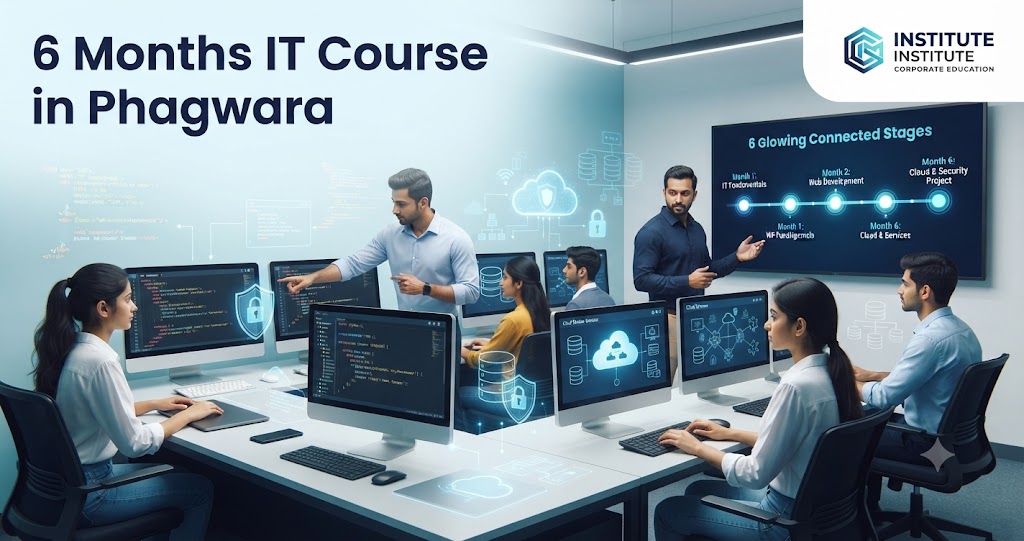
6 Month Professional IT Course in Phagwara
The IT field is wide, and for many students that is exactly the problem. Should you learn programming, networking, web design, databases or cloud? Without some exposure to each area, it is hard to know where your interest and strengths lie. A 6 Month Professional IT Course in Phagwara is built to solve this by giving you a broad, practical foundation across the core areas of information technology.
Rather than going deep into only one tool, a professional IT programme helps you understand how computers, networks, software, databases, the web and the cloud fit together. You leave with job-ready basics, a set of small projects and a clearer idea of which specialisation to pursue next. That makes it a sensible choice for students who want a career in IT but are not yet sure which direction to choose.
This guide explains what a professional IT course covers, a month-by-month syllabus, tools, project ideas, career scope and how to select a good IT institute in Phagwara. It is useful for learners in Phagwara as well as Jalandhar, Kapurthala, Hoshiarpur, Banga, Goraya, Nawanshahr and the LPU area.
Quick Answer: A 6 month professional IT course in Phagwara covers computer fundamentals, operating systems, hardware and networking basics, programming with Python, web development, databases and SQL, cloud basics and cyber hygiene, plus soft skills. It suits students and graduates who want a broad IT foundation before specialising. It can open entry-level IT support and junior roles, but no course guarantees a job.
What Is a Professional IT Course?
A professional IT course is a structured programme that introduces the main pillars of information technology in a practical way. Instead of studying theory only, learners work on computers every day, configuring systems, writing small programs, building web pages and managing data.
The key areas usually include:
Systems: hardware, operating systems, installation and troubleshooting
Networking: how devices connect, IP addressing, Wi-Fi and basic network setup
Programming: logic building and coding with a beginner-friendly language such as Python
Web and databases: HTML, CSS, JavaScript basics and SQL
Cloud and security: cloud service concepts and safe computing practices
Professional skills: documentation, communication and teamwork
Think of it as a well-organised tour of IT with hands-on stops at every important area, so that you can work confidently in a modern IT environment.
Why Learn IT in Phagwara?
Phagwara is an educational and industrial hub with nearby universities, colleges, factories, hospitals, banks and commercial establishments. These organisations rely on computers, networks and software, and they need people who can set up systems, support users, manage data and maintain basic web presence.
Taking IT training in Phagwara allows you to learn in a supervised lab close to home. Students from Jalandhar, Kapurthala, Hoshiarpur and the LPU area can attend regularly, which is important when learning practical skills such as installing operating systems or configuring a network.
The IT industry also rewards continuous learning. Starting with a broad foundation helps you choose a specialisation such as development, networking, cloud, data or security with more confidence later on.
Top 5 Reasons to Join a 6 Month Professional IT Course in Phagwara
1. Broad Exposure Before Specialising
You get hands-on experience in several IT areas, which helps you discover what you enjoy and what you are good at before committing to a long specialisation.
2. Practical, Lab-Based Learning
From assembling a PC to writing a Python script and building a web page, the course is centred on doing rather than memorising.
3. Job-Ready Foundation Skills
IT support, troubleshooting, basic networking and data handling are useful in almost any organisation and can help you secure entry-level roles.
4. Strong Base for Certifications and Further Study
The topics overlap with many entry-level IT certifications and give you a head start if you later pursue BCA, MCA or advanced courses.
5. Professional and Soft Skills
Writing clear documentation, explaining technical issues to non-technical users and working in teams are emphasised, because employers value them alongside technical skills.
6 Month Professional IT Course Syllabus: Month-by-Month
A typical structure for a professional IT course in Phagwara looks like this, though institutes may adjust it.
Month 1: Computer Fundamentals and Operating Systems
Computer architecture, components and how they work together
Installing and configuring Windows
Introduction to Linux and the command line
File systems, user accounts and permissions
Productivity tools: MS Office and Google Workspace essentials
Month 2: Hardware and Networking Basics
PC assembly, upgrades and hardware troubleshooting
Printers, peripherals and driver management
Networking concepts: LAN, WAN, IP addresses and DNS
Setting up a small office network and Wi-Fi
Diagnosing common connectivity problems
Month 3: Programming With Python
Programming logic, algorithms and flowcharts
Python syntax, variables, conditions and loops
Functions, lists and dictionaries
Working with files and simple automation scripts
Mini programs such as calculators and quiz apps
Month 4: Web Development Fundamentals
How websites work: browsers, servers and domains
HTML structure and forms
CSS styling and responsive layouts
JavaScript basics for interactivity
Publishing a simple website
Month 5: Databases, Cloud and Cyber Hygiene
Database concepts and SQL queries with MySQL
Connecting Python to a database
Cloud computing models: IaaS, PaaS and SaaS
Exploring free tiers of popular cloud platforms
Safe computing: passwords, backups, updates and phishing awareness
Month 6: Capstone, Professional Skills and Career Preparation
Capstone project combining web, database and Python
Version control with Git and GitHub
Technical documentation and help desk ticket handling
Communication, presentation and teamwork skills
Resume building, portfolio and mock interviews
Tools and Software You Will Learn
Windows and Linux
You will install, configure and troubleshoot both operating systems, which are found in almost every workplace.
Python and IDLE or VS Code
Python is beginner-friendly and widely used for automation, data and web work. VS Code is a free editor for writing and debugging code.
HTML, CSS and JavaScript
The core technologies of the web, used to build and style pages and add interactivity.
MySQL
A popular relational database used to store and query structured data with SQL.
Cisco Packet Tracer
A network simulation tool that lets you design and test small networks without physical equipment.
Git and GitHub
Used to track changes in projects and share your work publicly as a portfolio.
Cloud Platforms
An introduction to services from major cloud providers using free tiers, to understand virtual machines and online storage.
Professional IT Project Ideas for Students
Project 1: Small Office Network Design
Design a network for a fictional office in Phagwara with ten computers, a printer and Wi-Fi in Packet Tracer, and document the IP plan.
Project 2: IT Asset Inventory Tool
Write a Python program that stores details of computers and devices in a database and lets users search, add and update records.
Project 3: Business Website
Build a responsive website for a local shop or coaching centre with home, services, gallery and enquiry form pages.
Project 4: Help Desk Knowledge Base
Create a set of clear troubleshooting guides for common issues such as printer errors, slow computers and Wi-Fi problems.
Project 5: Backup and Safety Checklist
Prepare a practical backup plan and cyber hygiene checklist for a small business, covering passwords, updates and data recovery.
Single-Skill Short Course vs 6 Month Professional IT Course
FactorSingle-Skill Short Course6 Month Professional IT CourseScopeOne tool or topicSystems, networking, programming, web, databases and cloudCareer ClarityAssumes you already know your pathHelps you discover the right specialisationHands-On LabsLimitedRegular practical sessions in every moduleProjectsOne small taskMultiple projects and a capstoneSoft SkillsNot includedDocumentation, communication and teamworkCareer SupportRareResume, interview practice and guidance
If you already know exactly which skill you need, a short course can work well. If you want a solid, all-round start in IT, the six month programme is usually the better option.
Skills You Will Develop
Installing, configuring and troubleshooting computers
Setting up and diagnosing small networks
Programming logic and Python scripting
Building basic websites with HTML, CSS and JavaScript
Writing SQL queries and managing simple databases
Understanding cloud services and safe computing practices
Technical documentation and user support
Communication, teamwork and problem solving
Who Should Join This Course?
Class 12 pass students who want to start a career in IT
BCA, B.Sc, B.Com and other graduates seeking practical IT skills
Students near the LPU area and Phagwara colleges wanting hands-on experience
Job seekers from Jalandhar, Kapurthala, Banga and Goraya aiming for IT support roles
Working professionals who want to move into technical roles
Anyone unsure which IT specialisation to choose
Common Mistakes Beginners Should Avoid
Trying to Master Everything at Once
A broad course is meant for exposure and foundation. Focus on understanding concepts first, then go deeper in the area you enjoy.
Skipping Hands-On Practice
Reading about networking or programming is not enough. Practise in the lab and repeat tasks until they become natural.
Neglecting Documentation
Good IT professionals document what they do. Keep notes, screenshots and steps for each project.
Ignoring Soft Skills
Explaining a problem politely to a non-technical user is as important as fixing it. Practise clear communication.
Stopping Learning After the Course
IT changes constantly. Use the course as a launch pad and keep learning through certifications, projects and reading.
Career Scope After the Course
After completing a 6 month professional IT course in Phagwara and building a few solid projects, learners can explore roles such as:
IT Support Executive or Help Desk Technician
Desktop Support Engineer (entry level)
Junior Network Support Associate
Junior Web Developer
Python Programming Trainee
Database or MIS Assistant
Computer Lab Assistant in schools and colleges
Some learners also provide freelance IT support, website building or small automation services to local businesses. Many go on to specialise in development, networking, cloud, data or cyber security after gaining experience.
Please note that no course guarantees a job. Employers consider your practical skills, projects, attitude and interview performance, so steady effort makes the biggest difference.
How to Choose the Right IT Institute in Phagwara
Check that the syllabus covers systems, networking, programming, web and databases
Ask how much time is spent in practical labs each week
Look for real projects and a capstone in the final month
Prefer small batches so trainers can guide each student
Confirm certification, career guidance and internship support
Attend a demo class to evaluate teaching quality
Be cautious of guaranteed job claims
Why Choose techcadd Phagwara?
The professional IT programme at techcadd Phagwara is designed to give students a balanced, practical start in IT. Every module includes lab work so learners build real confidence with systems, code and data.
Practical labs for hardware, networking, Python, web and databases
Project-based learning with a final capstone
Small batches for personal attention
Course completion certification after assessments
Career guidance to help you choose a specialisation and prepare for interviews
Internship and industrial training support where available
The focus is on helping you understand IT as a whole and take your next step with clarity.
Final Thoughts
A career in IT does not have to start with guessing. A 6 Month Professional IT Course in Phagwara gives you hands-on exposure to systems, networking, programming, web development, databases and the cloud, along with the professional skills employers expect. For students and job seekers in Phagwara, Jalandhar, Kapurthala, Hoshiarpur and the LPU area, structured IT training in Phagwara can be a practical and confident first step into the technology industry.
Comments
Loading comments…