
6 Month Office Management & Computer Course in Phagwara
Build job-ready skills with a 6 Month Office Management & Computer Course in Phagwara at techcadd: MS Office, typing, email, Tally and office administration through practice.
6 Month Office Management & Computer Course in Phagwara
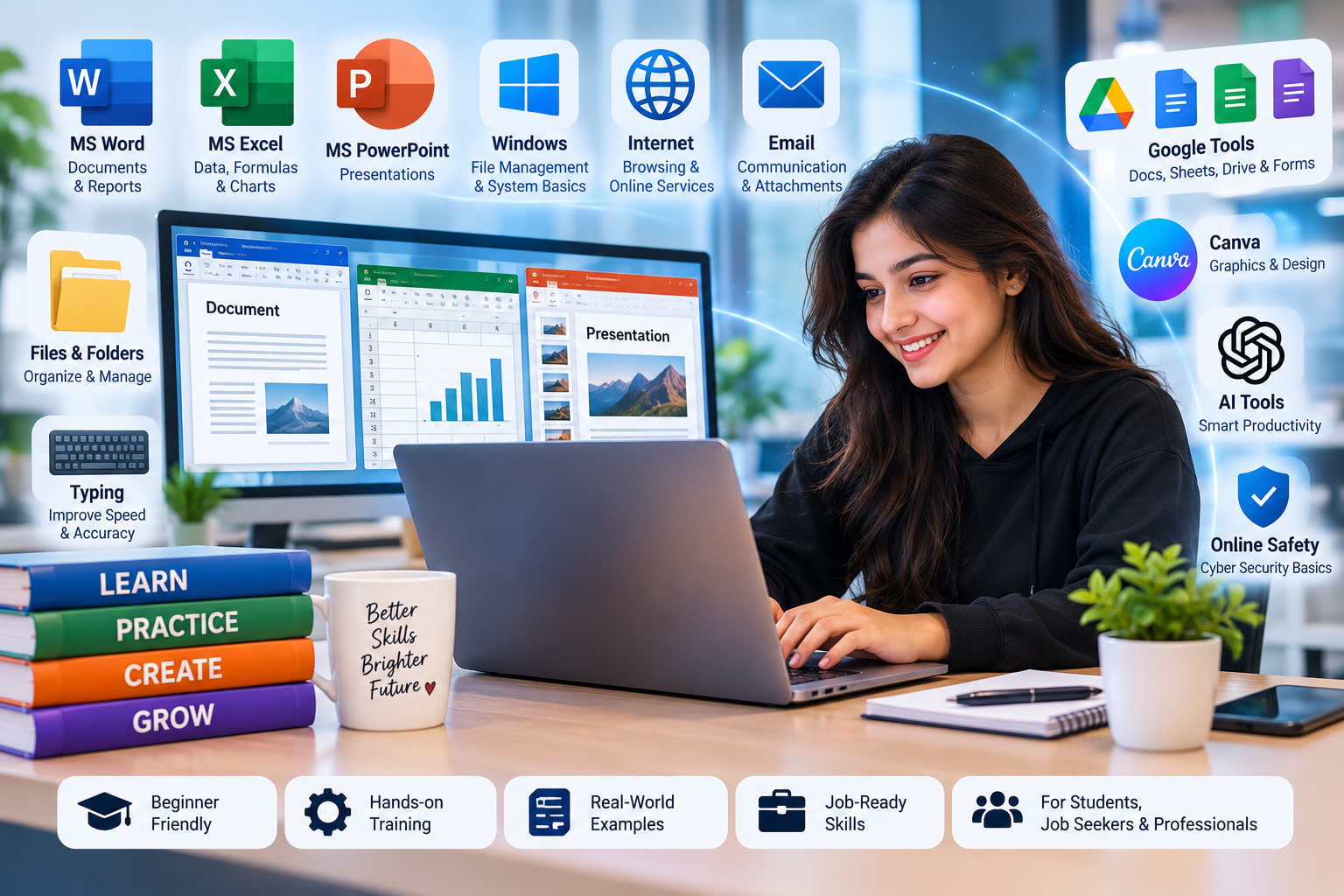
Walk into any office in Punjab, whether it is a factory admin block, a hospital front desk, a school office, a CA firm or a transport company, and you will see people working on computers all day. They prepare letters, maintain records in Excel, send professional emails, manage files, handle billing and keep the office running smoothly. A 6 Month Office Management & Computer Course in Phagwara trains you for exactly this kind of everyday professional work.
This type of course is ideal for students who want a practical, job-oriented skill set without needing a technical background. Over six months you move from basic computer handling to advanced MS Office, typing speed, internet and email etiquette, record keeping, basic accounting software and office communication. The focus is on doing the work, not just knowing the menus.
Below you will find what office management covers, a month-by-month syllabus, the software you will use, practical project ideas and tips to choose a good computer institute in Phagwara. The information is equally relevant for learners from Jalandhar, Kapurthala, Hoshiarpur, Banga, Goraya, Nawanshahr and the LPU area.
Quick Answer: A 6 month office management and computer course in Phagwara teaches computer fundamentals, MS Word, Excel, PowerPoint, Outlook and email, typing, internet and cloud tools, basic accounting with Tally, and office administration skills. It suits Class 10 or 12 pass students, graduates and job seekers aiming for office roles. It can improve employability, but no course guarantees a job.
What Is Office Management & Computer Training?
Office management is the set of skills used to organise and run the daily work of an office. It includes preparing documents, maintaining records, handling communication, scheduling meetings, managing files and supporting managers and teams. Today almost all of these tasks are done on a computer, so office management and computer skills go hand in hand.
A complete course usually combines three areas:
Computer skills: operating systems, file management, MS Office, typing and internet use
Office administration: record keeping, filing systems, correspondence, scheduling and front office conduct
Business basics: introduction to accounting, GST invoicing concepts and data entry accuracy
The result is a well-rounded office professional who can be trusted with documents, data and day-to-day coordination.
Why Learn Office Management in Phagwara?
Phagwara has a wide mix of employers, including manufacturing units, auto parts and sugar-related industries, trading firms, educational institutions, hospitals, banks, travel agencies and retail chains. All of them need office staff who can handle computers confidently. Nearby towns such as Jalandhar, Kapurthala and Hoshiarpur add even more local opportunities.
Choosing a computer course in Phagwara means you can learn without moving away from home, keep studying in college or continue a part-time job alongside classes. Regular lab practice with a trainer helps you build speed and accuracy, which matter a lot in office work.
These skills are also useful beyond a single job. Whether you later run a family business, prepare for government exams that test computer knowledge or apply for jobs abroad, strong office and computer skills remain valuable.
Top 5 Reasons to Join a 6 Month Office Management Course in Phagwara
1. Skills Used in Almost Every Office
Letters, reports, spreadsheets, presentations and emails are part of nearly every office job. Mastering them makes you useful from day one.
2. No Technical Background Needed
The course starts from the basics, so students from arts, commerce or science streams can all join and progress comfortably.
3. Typing Speed and Accuracy
Six months of regular practice can noticeably improve your typing speed in English and, if offered, in Punjabi or Hindi, which helps in data entry and clerical roles.
4. Introduction to Accounting Software
Many offices in Punjab use Tally for billing and accounts. Learning its basics adds a practical edge to your profile.
5. Professional Confidence
Beyond software, you learn email etiquette, phone manners, filing discipline and workplace communication, which help you present yourself professionally in interviews and at work.
6 Month Office Management Course Syllabus: Month-by-Month
The plan below shows how a typical office management and computer course in Phagwara can be organised.
Month 1: Computer Fundamentals and Typing
Parts of a computer, input and output devices
Windows basics, desktop, settings and file management
Folders, shortcuts, copying, moving and searching files
Touch typing practice with correct finger placement
Safe computer habits, updates and basic troubleshooting
Month 2: MS Word and Business Correspondence
Formatting text, paragraphs, styles and page layout
Tables, headers, footers and page numbering
Mail merge for letters and certificates
Writing formal letters, notices, memos and applications
Resume and cover letter preparation
Month 3: MS Excel for Office Work
Data entry, formatting and basic formulas
SUM, AVERAGE, IF, COUNTIF, VLOOKUP and XLOOKUP
Sorting, filtering and data validation
Charts and simple pivot tables
Attendance sheets, salary sheets and stock registers
Month 4: PowerPoint, Email and Internet Tools
Designing clear, professional presentations
Email writing, etiquette, attachments and folders in Outlook or Gmail
Calendar scheduling and meeting invites
Google Drive, Docs and Sheets for online collaboration
Online safety, strong passwords and avoiding phishing emails
Month 5: Accounting Basics and Tally
Basic accounting terms, vouchers and ledgers
Company creation and ledger setup in Tally
Sales, purchase, payment and receipt entries
Introduction to GST invoicing concepts
Generating basic reports such as day book and trial balance
Month 6: Office Administration and Career Preparation
Record keeping, filing systems and document control
Front office management and visitor handling
Inventory and stationery tracking
Communication skills, phone etiquette and teamwork
Final practical project, mock interviews and resume review
Tools and Software You Will Learn
Microsoft Word
Used for letters, reports, notices and any formal document. You will learn to create clean, consistent documents quickly.
Microsoft Excel
The backbone of office record keeping, from attendance and salaries to stock and expenses.
Microsoft PowerPoint
Used for presentations in meetings, training sessions and client pitches.
Outlook and Gmail
Professional email handling, calendar management and organised inbox practices.
Google Workspace Tools
Google Docs, Sheets and Drive allow teams to work together online and share files securely.
Tally
Widely used accounting software for billing, ledgers and basic financial reports in many businesses.
Typing Tutor Software
Structured typing practice tools help you track speed and accuracy improvements over time.
Office Management Project Ideas for Students
Project 1: Employee Attendance and Salary Sheet
Create an Excel workbook that records daily attendance for a small office and calculates monthly salary with deductions for leave.
Project 2: Business Letter Pack
Prepare a set of formal documents for a fictional company in Phagwara, including a quotation letter, a leave application, a notice and a mail-merged invitation.
Project 3: Stock Register for a Shop
Build a stock register with purchase and sale entries, current balance and a low-stock alert using conditional formatting.
Project 4: Company Profile Presentation
Design a ten-slide PowerPoint introducing a local business, its services and team, with a consistent theme and clear visuals.
Project 5: Accounts Practice in Tally
Record one month of sample transactions for a small trading firm in Tally and generate a day book and basic reports.
Basic Computer Course vs 6 Month Office Management Course
FactorBasic Computer Course6 Month Office Management CourseDurationOne to two monthsAround six monthsMS Office DepthIntroductory featuresAdvanced, job-focused useTypingLimited practiceRegular practice with speed trackingAccounting SoftwareUsually not includedTally basics includedOffice AdministrationNot coveredRecord keeping, front office and communicationCareer PreparationRarely includedResume, interview practice and guidance
A basic computer course is a good start for complete beginners. If your goal is an office job, the six month programme gives far more depth and practical readiness.
Skills You Will Develop
Confident use of Windows and file management
Professional document creation in MS Word
Practical Excel skills for records and reports
Clear presentations in PowerPoint
Faster, more accurate typing
Email etiquette and online collaboration
Basic accounting entries in Tally
Organisation, communication and workplace discipline
Who Should Join This Course?
Class 10 and Class 12 pass students looking for job-oriented skills
Graduates from any stream who want office or admin roles
Job seekers from Phagwara, Goraya, Banga and nearby villages
Homemakers returning to work who want to refresh computer skills
Small business owners and family business members who manage records
Students preparing for exams that include computer knowledge
Common Mistakes Beginners Should Avoid
Looking at the Keyboard While Typing
It feels faster at first, but it limits your speed. Practise touch typing properly from the beginning.
Learning Menus but Not Tasks
Knowing where a button is differs from knowing when to use it. Practise real office tasks like salary sheets and formal letters.
Poor File Naming and Organisation
Files named "new document" quickly become a mess. Build the habit of clear names and organised folders.
Ignoring Email Etiquette
Missing subject lines, informal language and wrong attachments create a poor impression. Treat every email as a professional document.
Skipping Regular Practice
Office skills improve with repetition. Short daily practice is better than occasional long sessions.
Career Scope After the Course
After a 6 month office management and computer course in Phagwara, learners can apply for roles such as:
Office Assistant or Office Executive
Computer Operator
Data Entry Operator
Front Office or Reception Executive
Back Office Executive
Billing and Accounts Assistant
MIS or Records Assistant
Some learners also take freelance typing, document formatting or data entry work, or support their family business with better record keeping. With experience, office staff can grow into admin supervisor or office manager roles.
As with any training, no course guarantees a job. Your typing speed, accuracy, communication and interview performance all play a major role.
How to Choose the Right Computer Institute in Phagwara
Check that the syllabus covers MS Office in depth, not just basics
Look for regular typing practice with speed tracking
Ask whether Tally or accounting basics are included
Make sure each student gets a computer during lab sessions
Prefer small batches and trainers who give individual feedback
Ask about certification and career guidance
Attend a demo class before enrolling
Why Choose techcadd Phagwara?
The office management and computer programme at techcadd Phagwara focuses on practical, everyday office tasks. Students spend most of their time on computers, practising the kind of work they will actually do in a job.
Practical computer labs for MS Office, typing and Tally
Project-based learning using realistic office tasks
Small batches with individual attention
Course completion certification after assessments
Career guidance including resume writing and mock interviews
Internship and industrial training support where available
The aim is to help you feel confident and capable in any office setting.
Final Thoughts
Office and computer skills may seem simple, but doing them quickly, accurately and professionally is what employers value. A 6 Month Office Management & Computer Course in Phagwara gives you the time to build these skills properly, from typing and MS Office to Tally and office communication. If you live in Phagwara, Jalandhar, Kapurthala, Nawanshahr or nearby, this kind of computer training in Phagwara can be a practical step towards a stable office career.
Comments
Loading comments…