
6 Month Web Development Industrial Training in Phagwara
Join 6 month web development training in Phagwara. Learn HTML, CSS, JavaScript, responsive design, database management and practical website development.
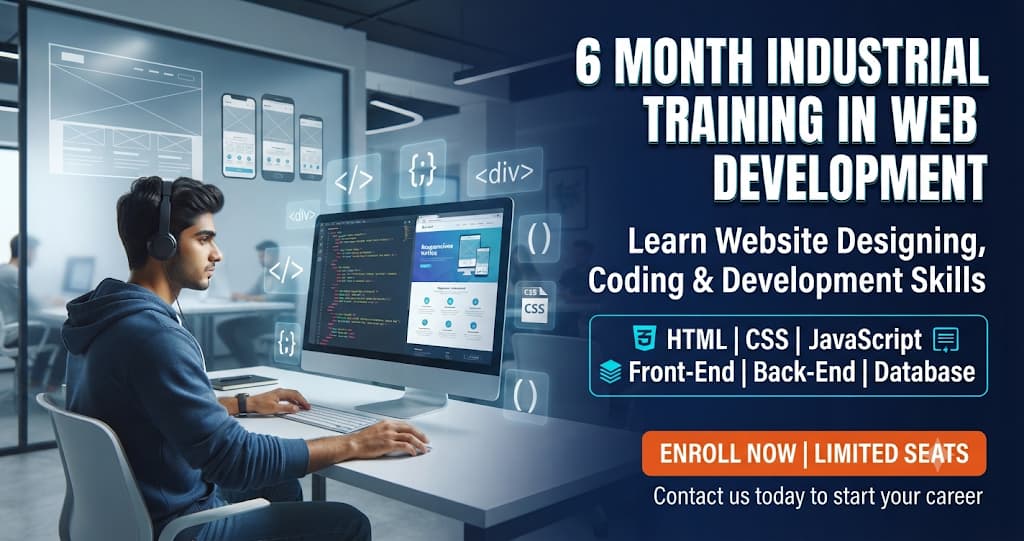
6 Month Industrial Training in Web Development
6 Month Industrial Training in Web Development is a skill-based training program designed for students who want to develop professional website development skills and gain practical experience in the IT industry. Web development is an important part of the digital world because businesses, educational institutions, startups and organizations depend on websites to promote their services, communicate with customers and manage online activities.
At techcadd, students can learn web development through practical training, software exercises and project-based learning. The program focuses on developing websites from basic structures to interactive and dynamic web applications. Students learn how websites are designed, developed, tested and maintained using modern web technologies.
During this six-month training program, learners understand website structure, page designing, styling, programming concepts, responsive layouts, server-side development and database connectivity. Practical assignments help students apply their knowledge and improve their coding abilities.
Learn HTML for Website Structure
HTML (Hypertext Markup Language) is the foundation of web development. It is used to create the structure and content of web pages.
Students learn how to create headings, paragraphs, images, hyperlinks, lists, tables, forms and website sections using HTML. They also understand HTML elements, attributes, semantic tags and page structure.
Practical exercises help learners create basic website pages and organize content properly. This knowledge provides a strong foundation for learning advanced web development technologies.
CSS and Website Designing
CSS (Cascading Style Sheets) is used to control the appearance and layout of websites. It helps developers create attractive, organized and user-friendly web pages.
Students learn how to apply colours, fonts, backgrounds, margins, padding, borders and positioning to website elements. They also explore CSS Flexbox, Grid, transitions and styling techniques.
Through practical assignments, learners understand how to design professional website layouts and improve the visual appearance of web pages.
JavaScript and Interactive Website Development
JavaScript is a programming language that makes websites interactive and dynamic. It allows developers to add functionality and respond to user actions.
Students learn variables, data types, operators, functions, conditions, loops, arrays and objects. They also understand DOM manipulation, event handling and form validation.
Practical exercises help learners create interactive buttons, dropdown menus, image sliders, calculators and dynamic website features.
Responsive Web Design
Responsive web design ensures that websites work properly on different screen sizes and devices, including desktops, laptops, tablets and smartphones.
Students learn how to create flexible layouts using CSS media queries, Flexbox and Grid. They understand how to adjust images, navigation menus, text and page sections for different screen sizes.
This training helps learners develop websites that provide a consistent browsing experience across different devices.
Front-End Web Development
Front-end development focuses on the visible part of a website that users interact with. It combines HTML, CSS and JavaScript to create attractive and functional web pages.
Students learn how to develop website headers, navigation bars, landing pages, contact forms, service sections and interactive components.
They also understand the importance of user experience, website navigation, layout consistency and clean coding practices.
Back-End Web Development
Back-end development manages the server-side functionality of websites and applications. It handles data processing, user authentication, application logic and communication with databases.
Students are introduced to server-side programming concepts, handling user requests, processing forms and connecting website interfaces with back-end systems.
Practical exercises help learners understand how dynamic websites work beyond their visible design.
Database Management and Connectivity
Databases are used to store, organize and manage website information such as user details, registration records, product information and contact submissions.
Students learn database fundamentals, tables, records, queries and basic database operations. They also understand how websites communicate with databases to store and retrieve information.
Practical activities help learners understand database connectivity and dynamic website functionality.
Website Development Projects
Project-based learning helps students apply different web development concepts in practical situations.
Students can practice creating:
Personal portfolio websites.
Business and company websites.
Educational institute websites.
Responsive landing pages.
Contact and registration forms.
Dynamic database-connected websites.
These projects help learners improve their coding, designing, debugging and problem-solving abilities.
Version Control and Website Deployment
Students are introduced to basic version control concepts and website publishing methods. They learn how developers organize project files, manage code changes and prepare websites for online deployment.
The training may include Git and GitHub fundamentals, domain concepts, hosting basics and website testing.
These skills help learners understand the overall website development workflow.
Practical Industrial Training Experience
The six-month training focuses on practical learning rather than only theoretical knowledge. Students get opportunities to practice coding, work on assignments, understand development workflows and complete website projects.
At techcadd, guided training helps learners improve their technical understanding, develop confidence in writing code and build a foundation for future IT opportunities.
Who Can Join 6 Month Web Development Training?
This training program is suitable for:
BCA and MCA students.
Diploma students.
Computer science students.
Students interested in website designing and development.
Beginners who want to learn programming and web technologies.
Basic computer knowledge and an interest in coding can help students begin their learning journey.
Career Opportunities After Web Development Training
After developing practical skills and completing projects, students can explore entry-level opportunities in the web development and IT industry.
Possible career roles include:
Junior Web Developer
Front-End Developer
Web Designing Assistant
Junior Back-End Developer
Website Development Trainee
WordPress Developer
Junior Full-Stack Developer
Career opportunities depend on technical knowledge, project experience, programming skills and employer requirements.
Why Choose techcadd for 6 Month Industrial Training?
Choosing the right training institute is important for developing practical knowledge and technical confidence. techcadd focuses on software-based learning, practical coding exercises and website development projects.
Students get the opportunity to understand web technologies step by step, practise programming concepts and develop websites under guided instruction.
The training emphasizes:
Practical website development exercises.
Step-by-step coding guidance.
Front-end and back-end fundamentals.
Responsive website designing.
Database connectivity concepts.
Real-world project practice.
Technical skill development.
Join techcadd in Phagwara to learn web development, strengthen your programming foundation and prepare for future opportunities in the IT industry.

HTML Fundamentals and Website Structure
Understand HTML elements, tags, attributes, headings, paragraphs, images, hyperlinks, tables and forms to create the basic structure of professional websites.
CSS Styling and Layout Designing
Learn website styling through colours, fonts, spacing, backgrounds, borders, Flexbox, Grid and other CSS properties to create attractive web pages.
JavaScript Programming
Develop programming knowledge using variables, functions, loops, conditions, arrays, objects and event handling to build interactive website features.
Responsive Website Development
Learn to design mobile-friendly websites using media queries, flexible layouts and responsive design techniques for different devices and screen sizes.
Front-End Development
Practise creating website interfaces, navigation menus, landing pages, forms, buttons and interactive sections using modern front-end technologies.
Back-End Development
Understand server-side programming, application logic, form processing, user requests and dynamic website functionality.
Database Management
Learn database fundamentals, tables, records, queries and website database connectivity for storing and managing information.
Website Testing and Debugging
Understand how to identify coding errors, test website functionality, check responsive layouts and improve website performance.
Git and GitHub Fundamentals
Learn basic version control, code organization, project repositories and collaboration concepts used in website development.
Live Website Development Projects
Apply your learning by creating practical website projects such as portfolio websites, business websites, landing pages and dynamic web applications.