

Speed Progress Log
A week-by-week record of your WPM and accuracy from the first class to the final test.
- Typing tutor
- MS Excel
An English Typing Course in Phagwara for touch typing done properly — home-row finger placement, graded speed and accuracy drills, numbers and symbols, weekly WPM tests and timed practice for clerk and data-entry typing tests.
The English Typing Course in Phagwara is a practical, beginner-level course for anyone who wants to type quickly and accurately without looking at the keyboard. It starts with posture, the home row and the correct finger for every key, then builds up through letter, word and sentence drills to full paragraphs, numbers, symbols and capital letters. Practice runs on typing tutor software and MS Word, with a trainer watching your technique so that bad habits are corrected early rather than locked in. Your words per minute and error rate are recorded every week, because speed only counts when it comes with accuracy. In the later weeks you practise timed passages, gross and net speed calculation and data-entry style work, and apply your typing to letters, emails and forms — the kind of tasks offices expect and the kind of passages many clerk and data-entry typing tests ask for.
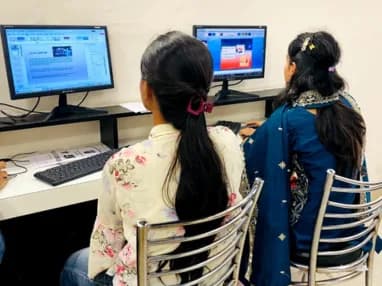
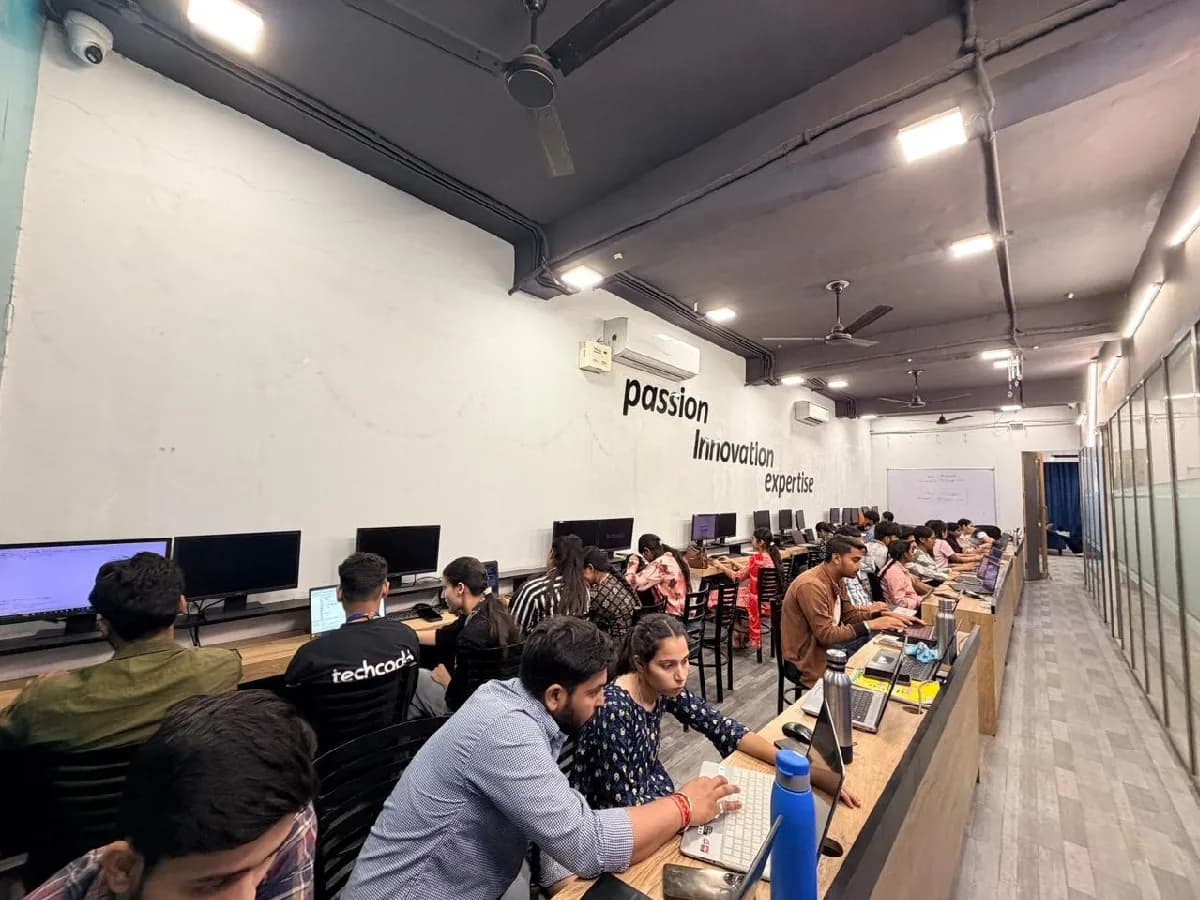
The English Typing course is built for people at six different starting points, and the batch is deliberately mixed. What matters far more than your background is turning up consistently and finishing what each module asks you to build.
Preparing for clerk, data-entry or similar posts that include a typing test? Build a steady speed with low errors and rehearse timed passages before the real test.
Touch typing is one of the most useful skills to learn after school. It speeds up assignments, online forms and every computer course you take next.
Type assignments, projects and reports in a fraction of the time, and add a practical, job-ready skill to your CV.
Data entry, back office, BPO and computer operator roles all rely on typing speed. Fast, accurate typing makes you ready for these jobs from the first day.
If you still type with two fingers or look at the keyboard, correcting your technique saves hours every week on emails, reports and documents.
No earlier typing or computer experience is needed. The course starts with the keyboard itself and moves at a pace that builds confidence.
Typing tests are a qualifying round for many clerical, data-entry and government posts, and fast, accurate typing saves time in almost every office, BPO and computer-based job. That gap is the whole argument for this course: there is local demand, there are budgets, and there are very few trained people to hand the work to.
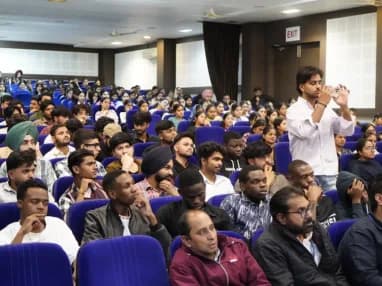
Build skills that hold up beyond the classroom.
What separates this from a playlist of tutorials is supervision on real work. From the second half of the course you build on live client projects with a trainer beside you, make decisions that have consequences, and correct them the following week. That loop is the skill. No employer in Phagwara will take your word for it without work they can inspect.
Be realistic about the money. A fresher who finishes with a working portfolio starts near the bottom of the band and moves quickly; someone who finishes with a certificate and nothing to show does not. The difference is entirely what you built.
The alternative is what most people try first: free videos, a cheap online course, six months of drifting, and knowledge you cannot demonstrate. A structured programme with live projects, a mentor who corrects you, an internship letter and a placement cell that actually calls employers is the difference between knowing the subject and being hired to do it.
Students reach the Phagwara centre from Banga, Nakodar, Kartarpur and the university belt, and the weekend batch exists so a job or a degree does not have to be paused to attend.
Posture, the home row and finger-to-key mapping are taught first, so you learn to type without looking instead of building habits you later have to unlearn.
Practice moves step by step from single keys to words, sentences and paragraphs, so speed builds steadily without sacrificing accuracy.
The number row, the Shift key, punctuation and common symbols get their own practice, because these are where many typists slow down and make errors.
Your words per minute and error rate are recorded every week, so you can see your progress and know exactly what to work on next.
Later weeks focus on timed passages and gross and net speed calculation in the format many clerk and data-entry typing tests use.
Apply your speed to letters, emails, forms and data-entry tasks in MS Word and spreadsheets, not just to practice screens.
The syllabus is arranged so every module produces an asset rather than a set of notes. You will cover keyboard basics & posture, touch typing the alphabet, capitals, numbers & symbols, speed & accuracy building, and finish with a live project built on Computer & Windows, Typing tutor software, MS Word. Modules run in the order a real project runs: foundations first, then the core skills, then applied work under supervision, then the portfolio and interview preparation that turn all of it into an offer letter.
The working knowledge the job description actually lists.
Capitals, Numbers & Symbols
The keys that slow most typists down.
1 week · 6 sessions
Speed & Accuracy Building
Graded drills that raise your WPM week by week.
2 weeks · 10 sessions
Topics covered
The English Typing course runs as three nested levels. Each one builds on the last, so you can start at the foundation and continue later without repeating anything.
A focused month for learners who want correct technique, the full keyboard and a comfortable everyday typing speed.
Skills & tools
Recommended for
Students and professionals who want to stop looking at the keyboard.
Everything in the 1-month course, plus a month of paragraph drills, office typing, data-entry practice and timed test preparation.
Skills & tools
Recommended for
Government job aspirants and data-entry job seekers who need a steady, test-ready speed.
Posture & Home-Row Position
Finger-to-Key Mapping
Touch Typing Without Looking
Shift, Caps Lock & Capitals
Number Row & Numeric Keypad
Punctuation & Symbols
Word & Sentence Drills
Paragraph Typing
Weekly Speed Tests
Accuracy Tracking
Letters & Applications in MS Word
Professional Email Typing
Keyboard Shortcuts
Form & Record Entry
Numeric Data Entry
Timed Passages
Gross & Net Speed Calculation
Mock Typing Tests
Final Speed & Accuracy Assessment
Choose 1 month to learn correct technique, the full keyboard and a comfortable everyday speed. Choose 2 months if you are preparing for a typing test or a data-entry job — the extra month adds paragraph drills, office typing, data-entry practice, timed passages and mock tests. Speed depends on regular practice, so the longer course gives your fingers the time they need.
The toolchain behind the craft
Everything below is installed on the lab machines and used on live client work, not shown once in a slide and forgotten.
Complete the course with a portfolio of live projects and receive an industry-recognised certificate, plus a documented internship letter accepted by Punjab universities.
Recognised by employers across Punjab and beyond
Based on real client work, not a simulation
Live work you can show in any interview
CV review, mock interviews and hiring drives
Two certificates on completion — the course certificate and a separate capstone project certificate.
The roles this opens, what they pay in Punjab and beyond, and who is hiring for them — drawn from published job-market listings on one comparable scale, not a brochure number.
Salary outlook
Entry-level private-sector data-entry and typing roles that English typing skills open up. Government posts follow their own official pay scales. Earnings depend on your speed, other skills, employer and location.
Jalandhar, Punjab
Ludhiana, Punjab
Amritsar, Punjab
Chandigarh (Tricity)
Mohali, Punjab
Patiala, Punjab
Delhi / NCR
Freelancing / Remote
Indicative ranges for Data Entry Operator / Typist roles, compiled from public job-market listings and drawn on the same scale in every market. Actual offers vary by employer, skillset and interview performance — Punjab pay typically reaches 2× the fresher ceiling within two years of delivery experience.
Talk about your target roleA week-by-week record of your WPM and accuracy from the first class to the final test.
Type a mixed passage of capitals, numbers, punctuation and symbols without looking at the keyboard.
Type and format a formal letter and a job or leave application in MS Word, ready to print.
Compose a set of short professional emails — an enquiry, a reply and a follow-up — with a document attached.
Enter a batch of customer names, addresses and phone numbers into a spreadsheet quickly and without errors.
Enter a sheet of bills or figures using the numeric keypad, then check the totals against the source.
Copy a printed page into MS Word with correct spelling, punctuation and layout, against the clock.
Complete a full timed passage, calculate your gross and net speed, and review every error.
The working loop
Every project moves through the same loop: understand the brief, build with guidance, then explain the decisions behind your work.
See the correct finger for each key and the posture that lets you type for long periods comfortably.
Speed Progress Log
Repeat graded drills with guidance until the keys come without looking, and track your speed every week.
Full Keyboard Drill
Use your typing in timed passages and real tasks — letters, emails and data entry — just as an office or typing test would ask.
Formal Letter & Application
There are many places to learn this in Phagwara and the brochure syllabus looks similar at all of them. What differs is who teaches, whether you ever touch real work, and whether anyone picks up the phone after you have paid. techcadd has trained students across Punjab since 2016 on the same model: small batches, working practitioners as trainers, client projects as coursework.
The course starts with posture and the keyboard, so learners who have never typed properly can follow every step.
A trainer watches your technique and corrects finger placement early, before slow habits set in.
Weekly speed and accuracy tests show exactly where you stand and what to practise next.
Timed passages, gross and net speed calculation and mock tests make the real typing test feel familiar.
Once your typing is steady, move on to Punjabi typing, MS Office, Advanced Excel or accounting software.
What made it click for me was the lab time. You can sit after class and someone will still explain it until you get it.
I travelled in for the weekend batch and it was worth every trip. Small batch, real work, no time wasted on theory nobody uses.
The course got me interview-ready faster than I expected. My interviewer asked to see my project and that was the whole conversation.
I was switching careers and worried I would be behind. Half the batch was doing the same thing, and nobody made it awkward.
I joined with almost no background and finished with a project I could actually show. The trainer never rushed the basics.
techcadd’s placement cell kept calling me for drives until I was placed. That persistence mattered more than anything else.
Choosing a English Typing course should be about more than a certificate. If the goal is a career, the things worth comparing are the coding practice, the projects, the trainer support and the skills you can actually apply.
Touch typing technique
techcadd
✓ Taught from day one
Commonly offered
Varies
Graded drills
techcadd
✓ Keys to paragraphs
Commonly offered
✓ Usually included
Numbers & symbols practice
techcadd
✓ Dedicated module
Commonly offered
Varies
Weekly speed tracking
techcadd
✓ Recorded every week
Commonly offered
Varies
Timed test practice
techcadd
✓ Mock tests
Commonly offered
✓ Usually included
Data-entry practice
techcadd
✓ Text & numeric entry
Commonly offered
Varies
Office typing tasks
techcadd
✓ Letters, emails & forms
Commonly offered
Varies
Trainer guidance
techcadd
✓ Technique correction
Commonly offered
Often self-practice
Course certificate
techcadd
✓ Provided
Commonly offered
Varies
Learning approach
techcadd
✓ Learn + Practise + Apply
Commonly offered
Often practice only
The right-hand column represents common market patterns, not a comparison with any specific institute. When choosing an English typing course in Phagwara, look beyond the course name at how technique is taught, how progress is measured and how much timed practice you get.
A beginner-level course that teaches English touch typing — correct posture and finger placement, the full keyboard including numbers and symbols, speed and accuracy drills, and timed test practice.
One call with a counsellor is usually enough to find out. Book a free demo class and see the lab before you decide.

Send your question and a counsellor will call you back about batch timings, fees, EMI options, placement record, or whether this course fits your degree.